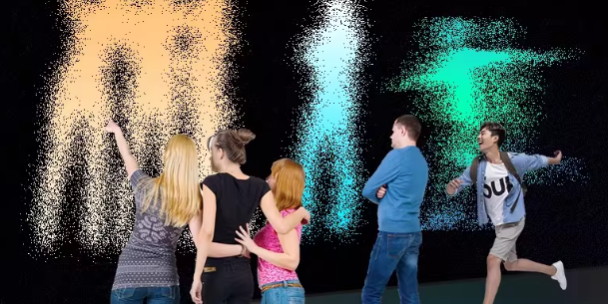
In virtual sports entertainment, players don’t judge a system by its sensor specs—they judge it by feel. If a kick looks “late,” or a boundary call feels unfair, the experience breaks instantly.
That’s why most successful LiDAR interactive projection projects focus on two engineering metrics:
- End-to-end latency (how fast the system responds)
- Spatial accuracy & resolution (how precisely it understands position)
Then, for real-world venues, you add two more practical dimensions:
- Multiplayer stability (can it keep player IDs consistent under crowding?)
- Jitter & false triggers (does it shake or misfire in busy play?)
Below is a practical benchmark framework you can use in proposals, requirement documents, or system planning—especially for multi-user, same-screen sports games.
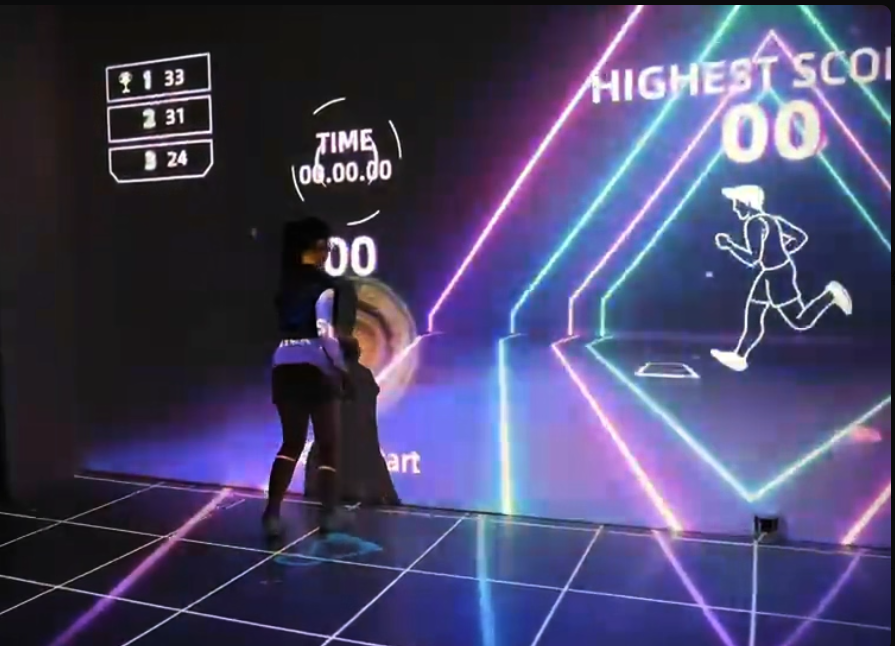
What “End-to-End Latency” Means (And Why It’s the Real KPI)
Definition: End-to-End Interaction Latency
End-to-end latency is the total time from:
player action happens → LiDAR detects → filtering/tracking → data reaches the game engine (Unity/Unreal) → visuals/audio update
This is the number that determines whether the experience feels “instant” or “half a beat late.”
Recommended Latency Targets by Use Case
Casual sports entertainment (FECs, kids zones, family play)
- Recommended: 80–120 ms end-to-end
- Maximum (still acceptable): around 150 ms
In this range, most players feel the interaction is real-time, with only fast motions feeling slightly delayed.
Competitive / training-style experiences (reaction drills, precision kicks, timed challenges)
- Recommended: 30–60 ms end-to-end
This range feels significantly more natural for quick steps, sharp turns, and accuracy-based scoring.
What players notice
- Above 150 ms, many users clearly feel a “late response,” especially during fast kicks or rapid target games.
Where Latency Comes From (Practical Breakdown)
Even when the game looks simple, latency typically comes from three layers.
1) Sensor cycle and tracking filters
LiDAR systems often output tracking at 20–50 Hz, which implies a base sampling interval of roughly 20–50 ms before you even reach the engine.
Optimization ideas
- Use a higher output rate when gameplay requires it
- Keep filtering “just enough” (over-filtering can feel sluggish)
- Use smarter smoothing later (engine-side interpolation) instead of heavy sensor-side delay
2) Transport and middleware overhead
Latency increases when data is:
- serialized too heavily
- bounced across multiple processes
- sent over unreliable or overloaded networks
Optimization ideas
- Keep traffic on a stable local network
- Minimize unnecessary conversions and handoffs
- In multi-sensor setups, fuse once and publish a clean “player list” stream
3) Game engine and rendering time
The engine can’t display changes faster than its frame updates. For example:
- 60 FPS implies a frame interval around 16.7 ms
Heavy scenes, complex physics, or overloaded CPUs can add delay and cause uneven response.
Optimization ideas
- Maintain stable frame rate under peak load
- Avoid expensive per-frame physics checks for every player if the crowd is large
- Use simplified collision zones for floor sports mechanics
Spatial Accuracy & Resolution: What “Good Enough” Looks Like
For sports entertainment, you rarely need perfect 3D point clouds. Most projects care about 2D ground-plane accuracy (where a foot/target point is on the floor).
Position Accuracy Targets (Ground Plane)
Casual entertainment
- Typical target: 5–10 cm position error
This is usually enough for “step on tile,” “touch zone,” and general ball interaction.
Competitive / training scenarios
- Typical target: 2–5 cm in key zones
This helps reduce disputes for: - goal lines
- boundary scoring
- precision targets
- timed lane runs
Repeatability and “Jitter” (Stability Matters More Than Peak Accuracy)
A system can be “accurate” on average but still feel bad if the marker shakes.
Repeatability describes how much the position fluctuates when the player stands still:
- Less jitter = smoother visuals
- Less false triggering at edges
- More trust in scoring
Common ways to control jitter:
- moving average smoothing
- basic predictive tracking
- carefully tuned filtering (avoid “laggy smoothing” that adds delay)
Accuracy Changes with Distance and Angle
LiDAR performance is not uniform across the entire field:
- far zones may have reduced resolution
- low-angle installation increases occlusion risk
- crowding increases tracking ambiguity
Practical takeaway: layout design (single-sensor vs dual-sensor vs hybrid) can impact “real accuracy” more than raw sensor claims.
Multiplayer Metrics That Decide Commercial Success
Maximum Reliable Player Count (Not Just “Supported”)
A common real-world target for family venues is:
- 5–10 players in 20–40 m²
- while keeping:
- < 100 ms latency (typical)
- 10–15 cm position consistency per player (casual gameplay)
This supports most multiplayer running/kicking games without constant ID confusion.
Refresh Rate and Motion Quality
For fast movement:
- Minimum recommended output: ≥ 20 Hz
- Preferred for reaction and sprint games: 30–60 Hz
Then, in the engine:
- use interpolation to keep motion smooth
- avoid adding extra latency through overly heavy smoothing
ID Continuity Under Crossovers
In multiplayer sports, the hardest moment is when players cross paths.
A strong system maintains:
- stable player IDs
- continuous trajectories
- minimal “character swapping” events
This is often improved by:
- multi-view sensor layouts
- better tracking rules (middleware)
- short-term ID persistence logic (“stickiness”) during overlaps
Suggested Specification Language for Proposals / Tenders
If you need copy-ready requirements, you can adapt the following structure.
Latency
- End-to-end interaction response time (typical):
- Entertainment mode: ≤ 100 ms, max ≤ 150 ms
- High-speed reaction mode: target ≤ 60 ms
Accuracy
- Within an effective interactive area of X by Y meters:
- Ground-plane positioning error (RMS): ≤ 5 cm
- Boundary judgement error (goal line / scoring line): ≤ 3 cm (in key zones)
Multiplayer capability
- Support ≥ N participants simultaneously (e.g., 6–10)
- Key-event judgement accuracy (goal/zone/hit): target ≥ 99% under defined test conditions
Stability
- Continuous operation target (e.g., 8 hours/day)
- Engine average frame rate: ≥ 50 FPS
- Latency fluctuation: within ±20 ms
- Dropouts and false triggers controlled within project-defined limits
How CPJROBOT Approaches Real-World Performance
In commercial environments, “good specs” must translate into:
- stable interaction during peak crowds
- consistent scoring behavior
- clean installation and easy maintenance
CPJROBOT focuses on PoE Interactive LiDAR systems and greeting & navigation robots designed for commercial deployment—where cabling simplicity, reliability, and uptime matter.
FAQ (Common Questions)
1) What latency feels “instant” to most players?
For casual games, 80–120 ms typically feels real-time. For reaction training, 30–60 ms feels noticeably more natural.
2) Do I really need 2–5 cm accuracy?
Only if your game depends on strict boundary calls or precision targets. For most family entertainment, 5–10 cm works well.
3) Why does a system feel laggy even with decent sensors?
Often the bottleneck is not the LiDAR—it’s middleware overhead, network delays, or engine frame drops under load.
4) How many players can one system handle?
It depends on area size and game design. A common target is 5–10 players in 20–40 m² with stable IDs and acceptable jitter.
5) What causes “false scoring” near lines and edges?
Usually jitter + boundary sensitivity. Improve with better smoothing, zone design (wider buffers), and higher accuracy in key areas.
6) What refresh rate should I target for sports games?
Aim for LiDAR output ≥ 20 Hz minimum. For fast sprint/reaction games, target 30–60 Hz, then smooth in-engine.
7) How do I reduce ID switching in crowded play?
Use multi-view layouts (dual-side/hybrid), apply tracking persistence rules, and tune crossover handling in middleware.