Outdoor PoE LiDAR Interactive Floor Projection Guide

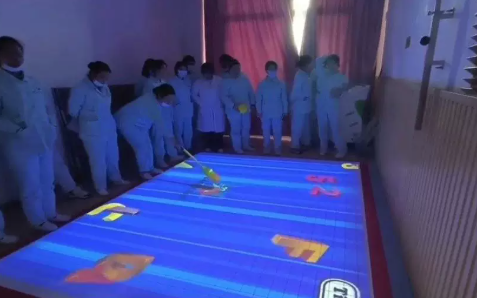
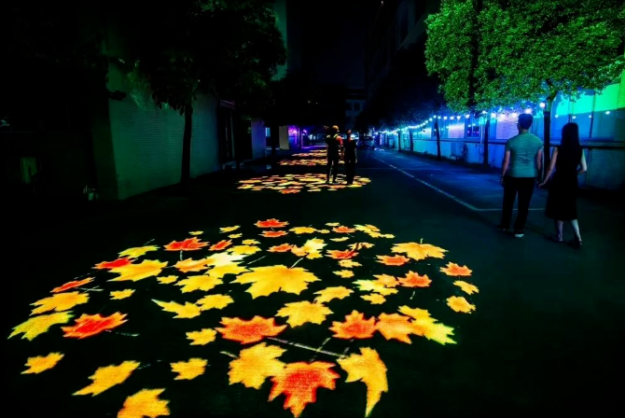
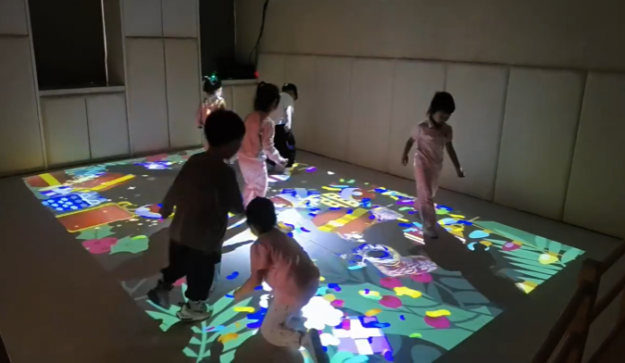
What Is Outdoor PoE LiDAR Interactive Floor Projection? Outdoor interactive floor projection is a system that turns walkways, squares, and activity zones into a responsive “digital ground screen.” People don’t just watch visuals—they trigger them by stepping, running, and moving. A practical outdoor setup usually includes: The result: a ground surface that reacts with ripples,…

PoE LiDAR Interactive Wall: Turn Any Surface into a Giant Touch Screen

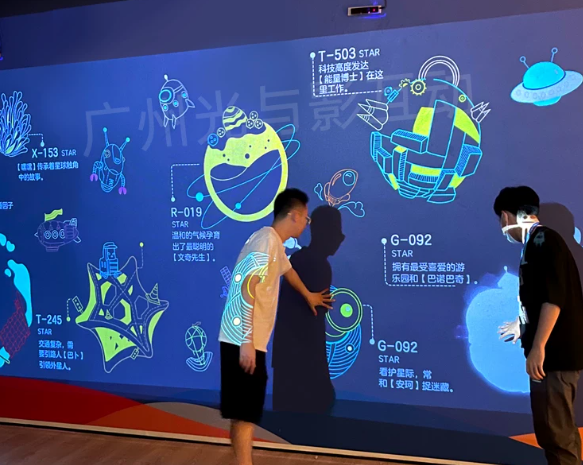
Introduction: Breaking Physical Boundaries to Turn “Walls” into Interactive Gateways In the era of immersive experiences, static displays are no longer enough. Whether in retail, museums, or corporate showrooms, audiences crave interaction. However, scaling traditional touch technology to the size of a wall is fraught with challenges. The solution lies not in bigger screens, but…

Choosing a Short-Range LiDAR Sensor for Tabletop Interactive Projection

If you’re building a desktop/tabletop interactive projection system, the sensor is the make-or-break component. You need reliable short-range detection (roughly 0.2–4 m), high refresh rate, a wide field of view, practical power and cabling, and a workflow that fits interactive content (projection mapping, coordinate calibration, touch/gesture events). In many interactive projection projects, people say “radar,”…

Multi-Point Tracking Fusion in LiDAR Table Interaction

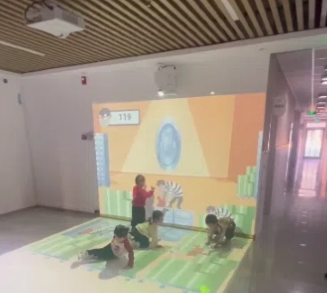
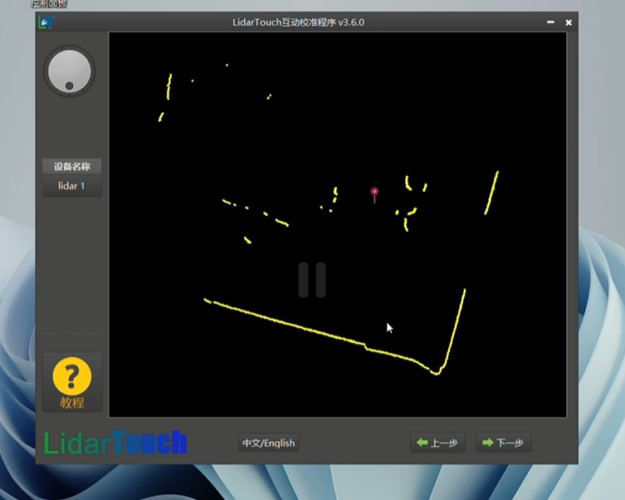
Understanding How Interactive LiDAR Table Projection Works Interactive l table projection transforms an ordinary table into a touch-enabled interactive surface using LiDAR sensing, real-time computation, and visual projection.Although installation positions vary, table, floor, and wall radar-interaction systems share the same technical foundation: sense → compute → display → resense. How the System Works 1. Environment…

Interactive LiDAR Table Projection: Principles & System Architecture

Understanding How Interactive LiDAR Table Projection Works Interactive LiDAR table projection transforms an ordinary table into a touch-enabled interactive surface using LiDAR sensing, real-time computation, and visual projection.Although installation positions vary, table, floor, and wall radar-interaction systems share the same technical foundation: sense → compute → display → resense. How the System Works 1. Environment…

Lighting Effects on Single-Channel LiDAR Accuracy

Why Lighting Can Still Matter for an “Active” Sensor Single-channel LiDAR (single-line 2D scanning) is an active sensor: it emits laser pulses and measures the return signal. That makes it far less sensitive to everyday lighting changes than cameras. However, in real deployments—especially outdoors—lighting and visibility still influence measurement quality. Not because LiDAR “needs light,”…

Comparing the Impact of Occlusion on Interactive Projection Under Different Sensor Fusion Strategies

Introduction In real-world interactive projection systems, occlusion—when people or objects temporarily block the projection or sensor’s view—poses one of the toughest challenges.A single sensor, such as a camera or LiDAR, often struggles to maintain accurate tracking and alignment once visibility drops. To solve this, engineers increasingly adopt multi-sensor fusion, combining LiDAR, cameras, and radar. Each…

How Point Cloud Density Impacts Interactive Projection in POE LiDAR Systems

Introduction In an interactive projection system, point cloud density determines how precisely LiDAR sensors capture and interpret spatial information.The higher the density, the more detailed and accurate the mapping — but also the greater the demands on processing power, bandwidth, and thermal management. As a leading manufacturer of POE interactive LiDAR and reception & navigation…