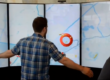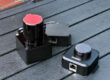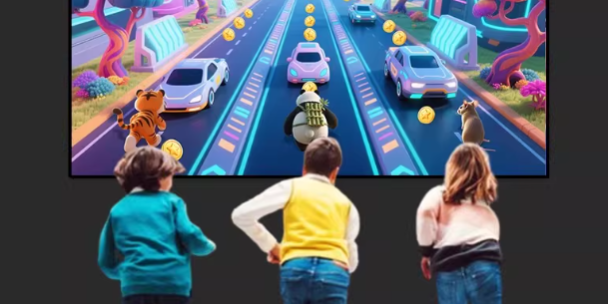
When you build a multiplayer virtual sports experience—where several people run, jump, kick, and compete on the same projected “field”—your LiDAR layout matters as much as the game content.
A good layout solves four real-world problems at once:
- Coverage: can you see the whole play area, all the time?
- Occlusion: what happens when players block each other?
- Accuracy: can you judge kicks, steps, and zones reliably?
- Cost & complexity: can the venue deploy and maintain it easily?
Below are the most common LiDAR deployment patterns used for multi-user, same-screen virtual sports, plus practical tips to help you choose a layout that fits your space and budget.
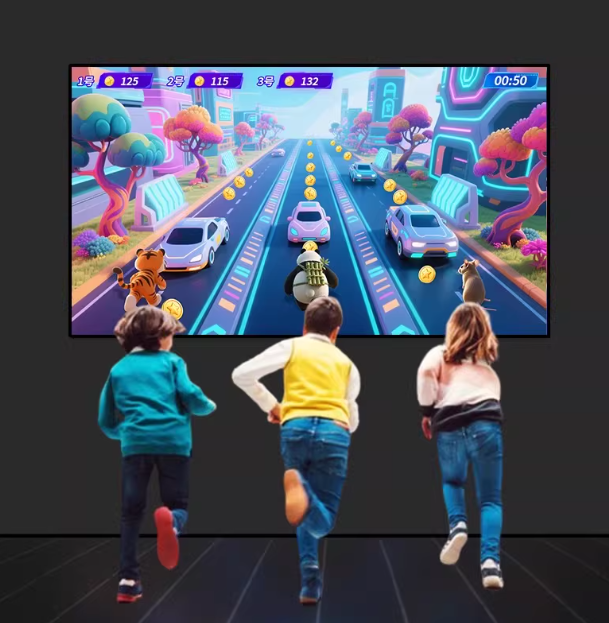
What “Good Tracking” Looks Like in Virtual Sports
Before picking a layout, define what “success” means for your venue:
Key performance goals
- Stable multi-player ID tracking (players don’t “swap” identities mid-run)
- Low latency (actions feel instant and fair in competitive modes)
- Consistent detection at edges (corners and boundary lines are reliable)
- Predictable behavior under crowding (kids running in clusters is normal)
What usually breaks systems in the field
- Players stacking (one behind another) → missed detections
- High-density sprinting → ID switching
- Uneven lighting or shadows (especially with camera systems)
- Mounting too low / wrong angle → blind spots and jitter
LiDAR helps with stability, but the layout still decides how well you handle occlusion and density.
5 Proven LiDAR Layout Schemes for Multiplayer Virtual Sports
1) Single-Side Overhead (Top-Down) Layout
Best for: small-to-mid courts, fast deployment, budget-sensitive projects
How it works
Mount one LiDAR high on one side (often above the projector side), looking down to cover the full interactive zone.
Typical fit
- Court width: 4–6 m
- Players: 2–6
- Motion type: mostly planar movement (run / jump / step / kick)
Pros
- Simple wiring and calibration
- Lowest hardware cost
- One unified viewpoint makes “same-screen” logic straightforward
Cons
- Far-end resolution may drop slightly
- Player stacking can cause temporary blind spots (especially mixed adult/children groups)
Practical tip
If your game has “high-value zones” (goal box, scoring tiles), try to place those closer to the LiDAR’s strongest coverage—it’s a small trick that improves perceived accuracy.
2) Dual-Side Opposing Layout (Two LiDARs, Left + Right)
Best for: competitive play, frequent crossing
How it works
Install two LiDAR sensors on opposite sides (or with a crossing angle) so each unit sees what the other might lose due to occlusion.
Typical fit
- Players: 3–8
- Games: football-like contests, tag/chase modes, multi-target sprint drills
Pros
- Stronger player separation under heavy crossing
- Better trajectory continuity
- Reduced occlusion impact (left/right view complement)
Cons
- Higher cost
- Needs multi-sensor calibration: time sync + shared coordinate system
- Must manage multi-sensor interaction and data fusion rules
Practical tip
Define a clean “fusion policy” early (e.g., confidence scoring by distance/angle). Without it, two sensors can disagree and create jitter.
3) Overhead Center + Side Compensation (Hybrid Layout)
Best for: larger fields, higher density
How it works
Use one top-down LiDAR (central) for global detection + one or two side LiDARs to boost edge accuracy and reduce occlusion in crowded areas.
Typical fit
- Court length: 8–12 m
- Players: 6–12
- Higher precision needs: exact kick point, jump point, boundary line scoring
Pros
- Excellent full-field awareness from the overhead unit
- Side sensors sharpen precision in key zones and edges
- Cost can be controlled by only “reinforcing” critical areas
Cons
- More complex architecture
- Requires consistent 2D/3D mapping strategy and zone-weighted fusion
Practical tip
Treat the overhead LiDAR as your “truth layer,” and allow side sensors to override only within designated zones (goal area, finish line, wall target strip). This keeps behavior stable.
4) Modular Zoning (Expandable “Blocks”) Layout
Best for: large venues, scalable rollouts, theme parks, multi-zone complexes
How it works
Split the space into several 3 m × 3 m (or similar) modules, each with its own LiDAR. Software then stitches modules into one logical map for same-screen or connected gameplay.
Typical fit
- Large entertainment centers
- Multi-room or corridor-style “sports street” concepts
- Projects that plan to expand later
Pros
- Easy to expand and maintain
- Local failures don’t collapse the whole system
- Modules can run independently during off-peak hours
Cons
- Needs boundary handoff logic (player ID migration across zones)
- Display/projection stitching must be designed together with zoning
Practical tip
Design “handoff buffers” at zone borders (a small overlap area) so players don’t disappear the moment they cross a boundary.
5) Overhead Multi-LiDAR Array (High Precision / Competitive Tracking)
Best for: performance tracking + entertainment, more data-driven sports experiences
How it works
Install 2–4 LiDAR units in an overhead array with overlapping coverage. This increases point density and improves speed/direction/collision judgments.
Typical fit
- “Virtual competition” running lanes
- Agility testing + gamified training
- Scenarios that value consistent metrics (speed, path accuracy, reaction time)
Pros
- Highest spatial resolution and stability
- Strong collision and close-contact judgement
- Better foundation for analytics and reporting
Cons
- Highest cost and complexity
- Requires mature calibration/maintenance workflow
- More demanding CPU/GPU processing and networking
Practical tip
If your business goal is “repeatable measurement,” invest early in a calibration SOP. Precision systems live or die by maintenance discipline.
How to Choose the Right Layout
Here’s a simple decision guide that works well in real projects:
Choose Single-Side Overhead if…
- You have 4–6 m width
- Players are mostly 2–6
- You want the fastest deployment at lowest cost
Choose Dual-Side if…
- Players frequently cross and cluster
- Your game has competitive “steal/defend” mechanics
- You want smoother tracking under occlusion
Choose Hybrid (Overhead + Side) if…
- Your venue is bigger than 8 m in one dimension
- Edge zones are high-value scoring areas
- You need stable tracking with 6–12 players
Choose Modular Zoning if…
- You want scalability (add more zones later)
- The venue is large and needs operational flexibility
- You want fault isolation (one zone down ≠ whole system down)
Choose an Array if…
- You care about precision metrics and competitive fairness
- You’re building a flagship attraction or sports testing concept
- You have budget for calibration + ongoing operations
Engineering Tips That Save Projects
Mounting height and angle
- Higher isn’t always better—too high can reduce useful resolution.
- Too low increases occlusion and blind spots.
- Aim for a geometry that reduces “player stacking” on the sensor’s line of sight.
Multi-LiDAR synchronization and fusion
For dual/hybrid/array layouts, define:
- Time sync approach
- Coordinate unification method
- Conflict resolution rules (who “wins” when sensors disagree)
Reduce interference and “ghost points”
In multi-sensor environments:
- Use physical separation and careful aiming
- Avoid directly facing sensors when possible
- Apply software gating (zones, confidence thresholds)
Network and power (why PoE helps)
For commercial deployments, PoE is often the cleanest path:
- Fewer power adapters
- Easier cable management and maintenance
- Centralized switching and troubleshooting
- Cleaner installs for pop-ups and permanent venues
FAQ (Common Questions)
1) How many LiDAR sensors do I need for a multiplayer field?
A small 4–6 m wide field often works with 1 LiDAR. Competitive games with 6–8 players commonly perform better with 2 LiDARs. Larger or high-density fields may need 3+.
2) What’s the biggest reason players “disappear” in tracking?
Occlusion—players stacking or crossing in a way that blocks line of sight. Dual-side or hybrid layouts reduce this significantly.
3) Is top-down always better than side mounting?
Top-down is usually more stable for floor interaction, but side mounting can improve edge precision and occlusion handling when used as a supplement.
4) What play area size is ideal for same-screen virtual sports?
A common commercial baseline is 6 m × 4 m. Smaller can work, but crowding increases. Bigger spaces improve flow but require stronger display planning.
5) Will LiDAR tracking work for mixed adults and children?
Yes, but mixed heights and clustering demand better occlusion handling and smarter filtering—dual-side or hybrid layouts are safer for busy family venues.
6) What’s the difference between modular zoning and a single large field?
Modular zoning is easier to expand and maintain, but you must handle boundary handoff and display stitching correctly.
7) How do I prevent ID switching in competitive games?
Use multi-view layouts (dual-side/hybrid), tune fusion rules, and keep latency low. Also design game mechanics that tolerate brief uncertainty (e.g., scoring by zone contact rather than tiny point hits).
8) Can I upgrade games later without changing the LiDAR layout?
Often yes—if the layout was planned with coverage and accuracy headroom. Content updates are usually software-side, but extreme game mechanics may require better density or new zones.
If you’re planning a multiplayer virtual sports project and want a layout that’s reliable in real venues (kids, crowds, long hours), CPJROBOT can help you design the right structure from day one.
CPJROBOT specializes in PoE Interactive LiDAR systems and greeting & navigation robots for commercial environments.
Send us your floor plan (dimensions), expected player count, and display type (projector/LED)—we’ll recommend a practical LiDAR layout and deployment approach that matches your budget and gameplay goals.
You May Also Be Interested In: