Understanding How Interactive LiDAR Table Projection Works
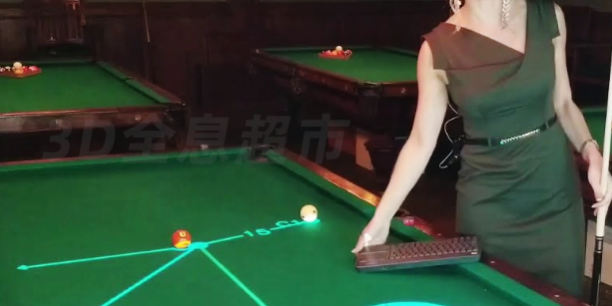
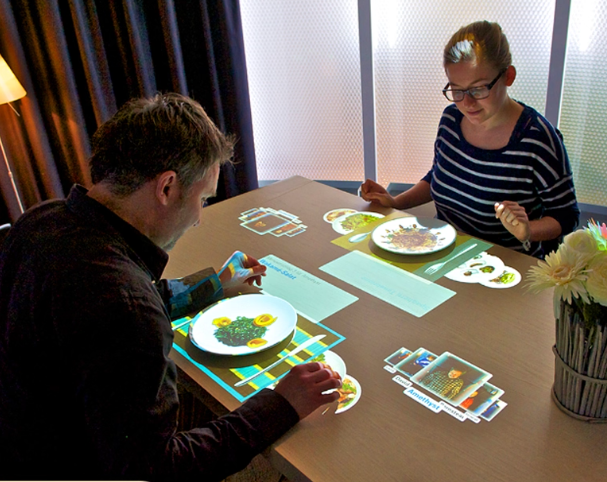
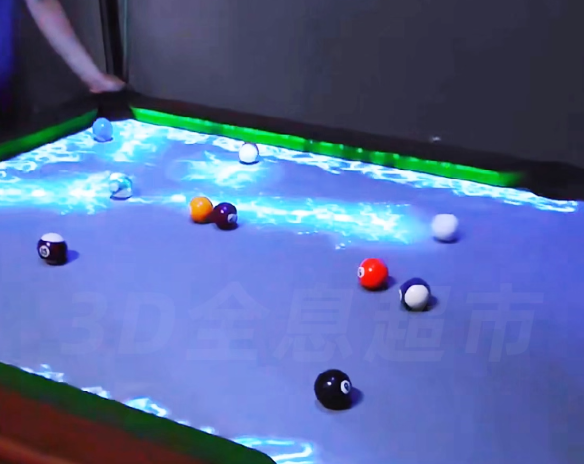
Interactive l table projection transforms an ordinary table into a touch-enabled interactive surface using LiDAR sensing, real-time computation, and visual projection.
Although installation positions vary, table, floor, and wall radar-interaction systems share the same technical foundation: sense → compute → display → resense.
How the System Works
1. Environment Scanning & Object Detection
A 2D scanning LiDAR rotates at a fixed frequency, emitting laser pulses and collecting reflections to create a point-cloud map of the tabletop area.
The system performs:
- Background modeling of an empty table
- Foreground extraction when hands, cups, or tools appear
- Clustering to identify touch points or object contours
This allows the software to reliably detect gestures such as touch, hover, drag, or multi-object movement.
2. Coordinate Mapping & Interaction Event Generation
Recognized foreground point clouds are translated into 2D tabletop coordinates.
Through a calibration matrix (affine or homography), the LiDAR coordinate system is aligned with the projection coordinate space.
The system outputs standardized events:
- Multi-touch points
- Hover and press actions
- TUIO or OSC signals
- Mouse-like interactions
These inputs feed directly into Unity, Unreal Engine, or custom multimedia engines.
3. Real-Time Rendering & Visual Feedback
The content engine generates dynamic responses—buttons, particles, animation, UI transitions, or game actions—and updates the projection in real time.
A loop of continuous scanning + computation + rendering ensures latency of only a few tens of milliseconds for a smooth, natural user experience.
Core Hardware Architecture
Key Components of an Interactive Radar Table Projection System
| Module | Components | Description |
|---|---|---|
| Sensing & Acquisition | 2D/3D LiDAR sensor, fixed brackets, shielding housings | Captures tabletop geometry, detects hands/objects, and filters noise. |
| Computation & Control | PC/IPC, SDK, PoE/USB/Ethernet communication | Runs algorithms for point-cloud processing, tracking, and gesture recognition. |
| Display & Projection | Short-throw/ultra-short-throw projector or horizontal display screen | Renders interactive content onto the table with minimized shadowing. |
| Software Layer | Calibration tool, multi-touch engine, Unity/Unreal applications | Converts LiDAR data into user interactions and visual effects. |
Key Technologies Behind LiDAR-Based Table Interaction
Precision Calibration
A one-time calibration establishes an accurate mapping so that every touch on the table corresponds to the correct pixel in the projected image.
Multi-User, Multi-Touch Tracking
Clustering + temporal tracking enable the system to handle:
- Multiple hands
- Multiple fingers
- Moving objects
- Simultaneous interactions
Essential for dining tables, museums, theme parks, and commercial installations.
Environmental Stability
LiDAR is resistant to ambient lighting, making it superior to IR or camera-based systems.
However, reflective surfaces (glass, polished metal) may require:
- Proper mounting angle
- Anti-reflection coating
- Software threshold tuning

CPJROBOT POE LiDAR for Indoor & Outdoor Interactive Projection
CPJROBOT provides a professional lineup of PoE-powered LiDAR sensors designed specifically for interactive systems:
CPJROBOT POE LiDAR Models
| Model | Application Scenario | Features |
|---|---|---|
| POE LiDAR M1 | Outdoor wall/floor projection | Wide FOV, stable long-range scanning, weather-resistant design |
| POE LiDAR T1 | Indoor table/floor interaction | High-precision multi-touch tracking, compact form factor |
| POE LiDAR F1 | Outdoor ground games & large surfaces | Large-area coverage, anti-interference, project-ready performance |
All models support:
- PoE power + data transmission
- SDK integration
- TUIO/OSC output
- Customizable installation brackets
- Project-level calibration tools
These sensors allow developers and integrators to build stable, low-latency interactive tables, walls, and floors—even in demanding outdoor environments.
Why LiDAR-Based Interactive Tables Are Gaining Popularity
Key Advantages
- No dependence on ambient light
- High stability in commercial and public spaces
- Supports multiple users simultaneously
- More durable and lower maintenance vs. camera systems
- Works with projection or LED displays
Use cases span:
- Restaurants & interactive dining
- Museums and digital exhibitions
- Retail product showcases
- Theme parks and children’s play areas
- Corporate training and simulation
- Smart city outdoor experiences
Conclusion
Interactive radar table projection merges LiDAR sensing, geometric modeling, and real-time graphics to create a reliable and immersive multi-touch experience.
With advanced PoE LiDAR devices such as CPJROBOT M1, T1, and F1, developers and integrators can deploy both indoor and outdoor interactive systems with high precision, stability, and scalability.