What Is a PoE LiDAR “Digital Playground”?
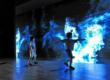
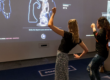
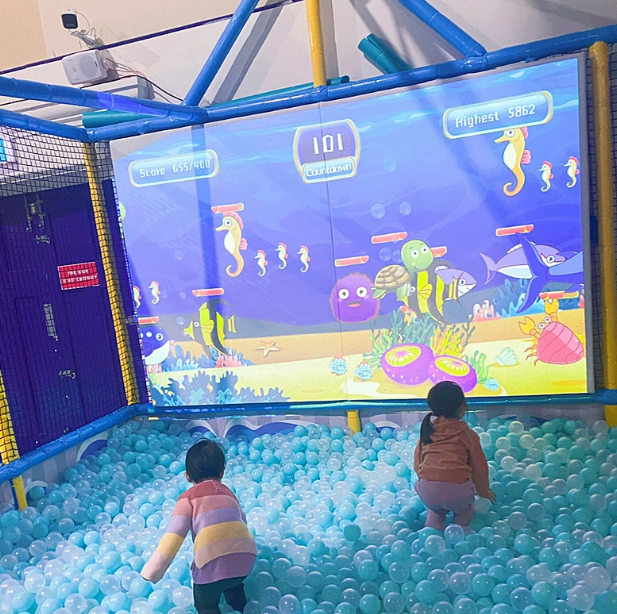
A “digital playground” is an interactive zone where a projected scene becomes playable—kids can step, tap, chase, draw, and collaborate on a floor or wall that responds instantly.
The most common setup is surprisingly compact:
- 1 projector (floor or wall projection)
- 1 PoE LiDAR sensor (tracks touch points, steps, gestures, body presence)
- 1 mini PC / control host (runs content and outputs video + interaction events)
With this trio, a plain surface turns into an always-refreshable activity area—part arcade, part sports game, part early-learning classroom.
Why This Trend Is Exploding in Children’s Venues
Kids’ venues are under pressure to deliver:
- Something visually “wow” for first impressions
- Activities that scale to multiple children at once
- Content that can be refreshed without rebuilding physical play equipment
- A safer, more privacy-friendly alternative to camera-heavy systems
PoE LiDAR + projection hits those requirements: high engagement per square meter, fast content rotation, low friction operations.
Popular Interactive Formats That Work Especially Well for Children
Below are the formats that consistently perform in children’s playgrounds, family entertainment centers, early-learning studios, malls, and parent-child restaurants.
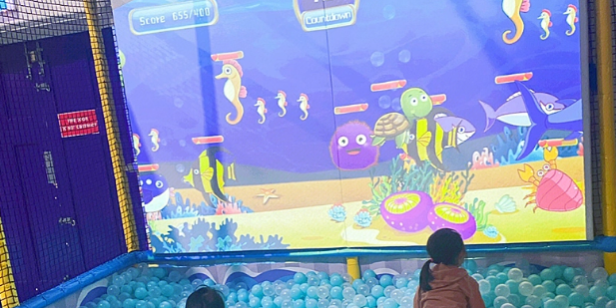
1) Interactive Floor / Wall Game Zones (The classic “100+ games library” model)
What kids see: animals, balloons, stepping stones, numbers, shapes, soccer balls, puzzle tiles, “lava” zones, etc.
What they do: stomp, chase, slap, jump, cooperate, compete.
Typical content categories include:
- Reaction & agility: obstacle dodge, hit-the-target, whack-a-mole
- Sports mini-games: kick/goal, jumping grids, “catch the falling items”
- Cognitive learning: numbers, letters, shapes, colors, sorting and matching
- Team play: two teams scoring zones, relay-style interaction
Why it works operationally: it’s easy to run as a “main attraction” area, and the game library can rotate daily without staff coaching.
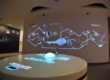
2) Interactive Sandpit / AR Sandbox (The “moving beach” effect)
This is one of the most shareable setups: kids sculpt sand, and the projected world responds in real time.
- Build a hill → it becomes a mountain
- Dig a trench → water flows into the channel
- Shape a basin → it fills like a lake
- Make a “coastline” → waves animate along the shore
Beyond pure fun, it naturally introduces:
- cause and effect
- terrain concepts (mountain/river/valley)
- basic geography vocabulary
For kindergartens and early-learning centers, it’s a strong “play-based learning” anchor.
3) Interactive Wall + Coloring / Doodle “Bring Characters to Life”
A highly effective format for parent-child venues:
- Children color characters on paper
- The artwork is scanned
- Their character appears on a large wall scene
- Kids “touch” or gesture to trigger animations and mini-events
This format blends:
- creativity and art
- storytelling
- interactive rewards that keep kids moving
It also creates a strong emotional hook: children are interacting with their own creation.
4) Interactive Slides, Sports Corners, and Theme Zones
If your venue already has a slide, ball pit, climbing wall, or a soft-play structure, projection and LiDAR can add a “game layer” without changing the physical equipment.
Examples:
- Sliding triggers “speed streaks,” points, or story progress
- Climbing zones light up as checkpoints
- Floor projection runs hopscotch, soccer, and team challenges
- Missions and progress bars encourage repeated play
This is where interactive projection becomes more than “a screen on the floor”—it becomes a lightweight gamification system for existing attractions.
Why PoE LiDAR Instead of Standard Cameras or Infrared?
A lot of interactive floors started with cameras or IR sensors. PoE LiDAR is increasingly chosen for children’s spaces for three practical reasons.
1) One cable for power + data (PoE)
PoE means the LiDAR can be ceiling-mounted with a single Ethernet cable:
- no separate AC outlet at the mounting point
- simpler retrofits after renovation
- easier cable routing through standard weak-current conduits
- cleaner installs in commercial environments
For operators, this reduces installation complexity and long-term maintenance headaches.
2) High precision + true multi-user interaction
In a children’s venue, you rarely have “one user at a time.” You have a crowd.
A PoE LiDAR interactive setup is well-suited to:
- multi-point touch
- multiple children at once
- fast motion (running, jumping, quick taps)
- stable tracking without needing face/body video
That “many users, many touch points” behavior is a core requirement for playground economics.
3) Stable under changing light + more privacy-friendly
Cameras and some IR approaches can struggle with:
- bright malls and reflective floors
- dynamic lighting from signage or stage effects
- privacy concerns from parents
LiDAR is based on distance measurement, not visible-light imagery. Many systems output touch points/point cloud data, not identifiable video. For family venues, that can be a meaningful trust advantage.
What Operators Gain: Business Value That Shows Up in Daily Operations
Higher attraction power and repeat visits
Interactive projection zones often become the default “crowd magnet.” Add seasonal themes (Halloween, winter, summer ocean, space, etc.), and the space stays fresh without new construction.
Better “learn through play” positioning
If you embed:
- colors and shapes
- numbers and letters
- simple English vocabulary
- logic and teamwork tasks
…you can market the area as immersive early-learning, not just entertainment. That matters for early-education centers and premium parent-child venues.
Modular scaling without redesign
Because the structure is typically projector + PoE LiDAR + mini PC, you can expand by adding more zones:
- one wall zone + one floor zone
- multiple wall segments for larger venues
- linked experiences across zones (progression, shared scoring)
This approach lets you scale with ROI rather than committing to a single large custom build.
Remote updates and simpler content rotation
If your platform supports remote management, you can:
- update game libraries
- push holiday skins
- adjust sensitivity and interaction zones
- monitor device status
That reduces reliance on specialized on-site staff and helps standardize multi-location operations.
Hardware Checklist: What You Actually Need (and What to Avoid)
Core components
- Projector (brightness matched to ambient light; short-throw often preferred)
- PoE LiDAR sensor (coverage angle and range matched to zone size)
- Mini PC / host (stable GPU output, reliable storage, industrial-grade recommended)
- PoE switch / injector (adequate power budget and port count)
- Mounting hardware (ceiling mount, wall bracket, safety tethers)
- Network cabling (quality Ethernet cable; tidy routing is critical in public venues)
Optional but common
- Audio system (sound effects dramatically increase engagement)
- Protective enclosure for projector in high-traffic zones
- UPS for quick power stability (prevents corruption and surprise downtime)
- Anti-glare / matte surface treatment if the floor is highly reflective
Common pitfalls to avoid
- Choosing a projector too dim for a bright mall environment
- Mounting without considering shadows and occlusion zones
- Running cables without strain relief or proper protection
- Ignoring surface texture (glossy floors can reduce visual quality)
Installation Notes That Matter in Real Venues
Define the interaction zone first, not the hardware
Before mounting anything, map:
- game area boundaries
- traffic flow and queuing
- safe run-out zones (kids will sprint)
- where parents stand (avoid blocking projection)
This prevents the classic mistake: perfect tech placement, awkward user experience.
Ceiling height and placement strategy
- Higher mounting increases coverage but can reduce interaction resolution if pushed too far.
- Avoid extreme angles that create distorted projection geometry or tracking blind spots.
- Use keystone correction carefully—optical alignment is better than “fixing everything in software.”
Calibrate for children, not adults
Kids are smaller, faster, and less predictable. Your tuning should prioritize:
- quick touch/step detection
- tolerance for group chaos
- stable tracking when multiple kids overlap
- safe visuals (avoid flicker-heavy or overly intense effects)
Content Strategy: How to Keep It “New” Without Constant Custom Development
A practical approach operators use:
1) Always-on “core games” (daily use)
- quick reaction games
- simple sports games
- classic stepping challenges
2) Weekly rotation (habit building)
- swap themes and game sets weekly
- highlight “Top 5 games this week” signage
3) Seasonal skins (marketing)
- holiday visuals
- school season learning modules
- summer/winter themes
4) Event mode (revenue moments)
- birthday party challenge mode
- team competitions
- score-based rewards and certificates
This structure helps you manage content like a product, not a one-off installation.
Safety and Compliance Considerations for Children’s Spaces
While specific requirements vary by region and venue type, operators generally standardize around:
- robust mounting and anti-drop safety
- cable protection and tamper resistance
- projector heat management and secure enclosures
- clear floor markings and anti-slip surfaces
- age-appropriate content and brightness/flash limits
If you operate in malls or public venues, align your installation approach with local safety expectations and facility management policies.
Practical ROI Thinking: How to Justify the Investment
Instead of arguing “tech is cool,” frame the business case around measurable outcomes:
- increased dwell time in a specific zone
- improved conversion for parent-child packages
- higher birthday booking attractiveness
- “shareability” that reduces paid marketing dependence
- lower refresh cost vs. physical remodeling
If you already track footfall and dwell time, an interactive projection zone is one of the easier upgrades to evaluate.
FAQ
Is one projector + one PoE LiDAR enough for a full playground?
For a single zone, yes—especially for a focused wall or floor area. For large venues, multiple zones (or multiple sensors/projectors) create better coverage and reduce overcrowding.
Will it work in a bright shopping mall?
It can, but projector brightness and surface choice matter. In bright environments, prioritize higher-brightness projectors, better screen surfaces, and careful placement to reduce washout.
Is PoE LiDAR better for privacy than cameras?
In many setups, LiDAR-based interaction does not require capturing identifiable video. Systems often work from touch points or depth/point data rather than faces, which can be easier to position as privacy-friendly for family venues.
What games work best for mixed ages?
Mix “easy entry” games (stepping, chasing) with learning games (colors, numbers) and a few competitive modes for older kids. The best libraries offer multiple difficulty levels.
You may like: