Virtual sports entertainment is evolving fast—people want movement, competition, and immersion, but they don’t want to wear sensors or hold controllers. That’s exactly where LiDAR interactive projection shines.
By combining LiDAR-based multi-person tracking + real-time game visuals (projector or LED screen), venues can create a “run, jump, kick, and score” experience that feels like a living sports arena—without any wearables, pressure tiles, or complex floor wiring.
This article breaks down how it works, popular gameplay modes, key technical advantages, and practical design tips for deploying LiDAR-powered interactive sports in commercial venues.
What Is LiDAR Interactive Projection?
LiDAR interactive projection uses LiDAR sensors to detect players’ positions, movement paths, and speed inside a defined area, then translates that data into interactive events inside a game engine. The game visuals are displayed via:
- Floor projection (virtual football field, running track, reaction grids)
- Wall projection (targets, monsters, climbing points)
- LED screens (large-scale interactive sports scenes)
The result is a closed feedback loop: players move → LiDAR tracks → the game responds instantly → players react again.
How It Works
LiDAR Sensing + Motion Capture
LiDAR continuously scans near the floor or wall area and outputs real-time spatial data:
- Player position (X/Y coordinates)
- Movement trajectory
- Speed and direction changes
- Multi-player separation (tracking many participants at once)
Those coordinates become “virtual touchpoints” inside the software—like invisible cursors that represent feet, bodies, or hit zones in the game.
Data Mapping to the Game Engine
In many systems, the LiDAR coordinate stream is passed through middleware or an SDK and mapped into interactive events such as:
- Kicking a virtual ball
- Stepping on targets or lines
- Triggering zones (start/finish, scoring areas)
- Hitting wall targets with jumps or hand motions (depending on setup)
Game content is typically built with engines like Unity or Unreal, allowing fast updates, new levels, and seasonal themes without changing hardware.
Real-Time Visual Feedback (The “Fun” Part)
The display system renders the game scene and updates instantly based on player actions:
- Ball flies after a “kick”
- Scoreboard changes on impact
- Characters sprint faster when the player accelerates
- New obstacles appear when players clear a level
This is what creates that strong “I’m inside the game” feeling.
Popular Virtual Sports Gameplay Modes
1) Interactive Floor “Virtual Sports Fields”
A sports court is projected onto the floor—football, basketball drills, sprint lanes, agility grids, reaction training, and more.
Players interact using feet and full-body movement:
- Shoot and score (football/basketball)
- Dribble zones and passing drills
- Sprint timing challenges
- Step-on targets, dodge zones, stamina modes
Why it works commercially:
- Supports team play (2–8+ players)
- Easy to understand in 3 seconds (great for walk-in traffic)
- Encourages repeat play through rankings, levels, and time trials
2) Wall + Floor Linked “Body-Action Games”
This mode uses the wall as the target zone and the floor as the movement zone. Players run, jump, and react to wall targets while moving across the floor area.
Examples:
- Hit-the-target sports challenges
- Rhythm + cardio games
- Dodge-and-strike obstacle modes
- “Monster hit” or “goal keeper” reaction games
This style is excellent for:
- Improving coordination and cardio
- Creating a “spectator-friendly” show effect
- Turning a small venue corner into a high-energy attraction
Why LiDAR (Not Cameras or IR Floor Tiles)?
Multi-User, Multi-Point Interaction in Large Areas
LiDAR scales well for bigger interactive zones without covering the floor in sensors. It’s naturally suited for:
- Multiple players at once
- Free movement (no “stand here only” limitation)
- Dynamic positioning and chasing mechanics
More Stable Under Bright Light and Shadows
Compared to purely vision-based systems, LiDAR is typically less affected by:
- Strong ambient light
- Projection shadows
- Busy backgrounds
That stability matters in malls, open venues, and bright commercial spaces.
Faster Deployment, Easier Maintenance
A typical LiDAR projection zone can be built without pulling up flooring or installing thousands of tiles. Most upgrades happen in software:
- Change games and themes quickly
- Move the setup for events or pop-up installations
- Keep maintenance focused on a few devices (sensor + display + controller)
Key Design Considerations for Real Projects
Define the Play Area First
Start with the real commercial question: How big is the experience and how many players at once?
Common sizes include:
- 4m × 3m (compact kids zone)
- 6m × 4m (classic “virtual sports field”)
- 8m × 6m+ (premium multiplayer arena)
Bigger areas increase immersion but require careful display brightness and sensor coverage planning.
LiDAR Placement: Height, Angle, and Occlusion
LiDAR should be installed where players won’t constantly block the scanning line. Practical tips:
- Mount on a side boundary or elevated edge
- Angle to minimize body occlusion during group play
- Avoid placing the sensor where crowds gather tightly in front of it
If your gameplay involves wall targets and floor movement, plan sensor positioning so both zones remain trackable during jumps and sprints.
Display Choice: Projector vs LED
Projector is great for immersive floor fields, especially when:
- The floor finish supports projection clarity
- Ambient light can be controlled
- You want a “magic floor” experience
LED screen is ideal when:
- The venue is bright (malls, atriums)
- You want high contrast and visibility from distance
- You need a premium, all-day operational setup
For larger areas, multi-projector blending can expand coverage—just ensure alignment, calibration, and consistent brightness.
Latency and Game Feel
Virtual sports must feel immediate. Keep an eye on:
- Sensor-to-PC data latency
- Engine processing time
- Display refresh and rendering load
If it feels delayed, players lose confidence and stop moving naturally—especially in reaction and timing games.
Safety and Floor Practicality
Because users run and jump, design for:
- Non-slip flooring
- Clear boundaries and signage
- Safe edges (no hard obstacles near the play zone)
- Crowd flow (entry/exit) so spectators don’t step into the tracking area
Where LiDAR Interactive Projection Performs Best
LiDAR-based virtual sports entertainment is a strong fit for:
- Indoor playgrounds & family entertainment centers (FEC)
- Sports training venues (agility, reaction, cardio)
- Shopping mall activations
- Museums and science centers (interactive learning through play)
- Exhibitions and pop-up events (fast setup + high attraction)
- Schools and community centers (team play + physical engagement)
How CPJROBOT Helps
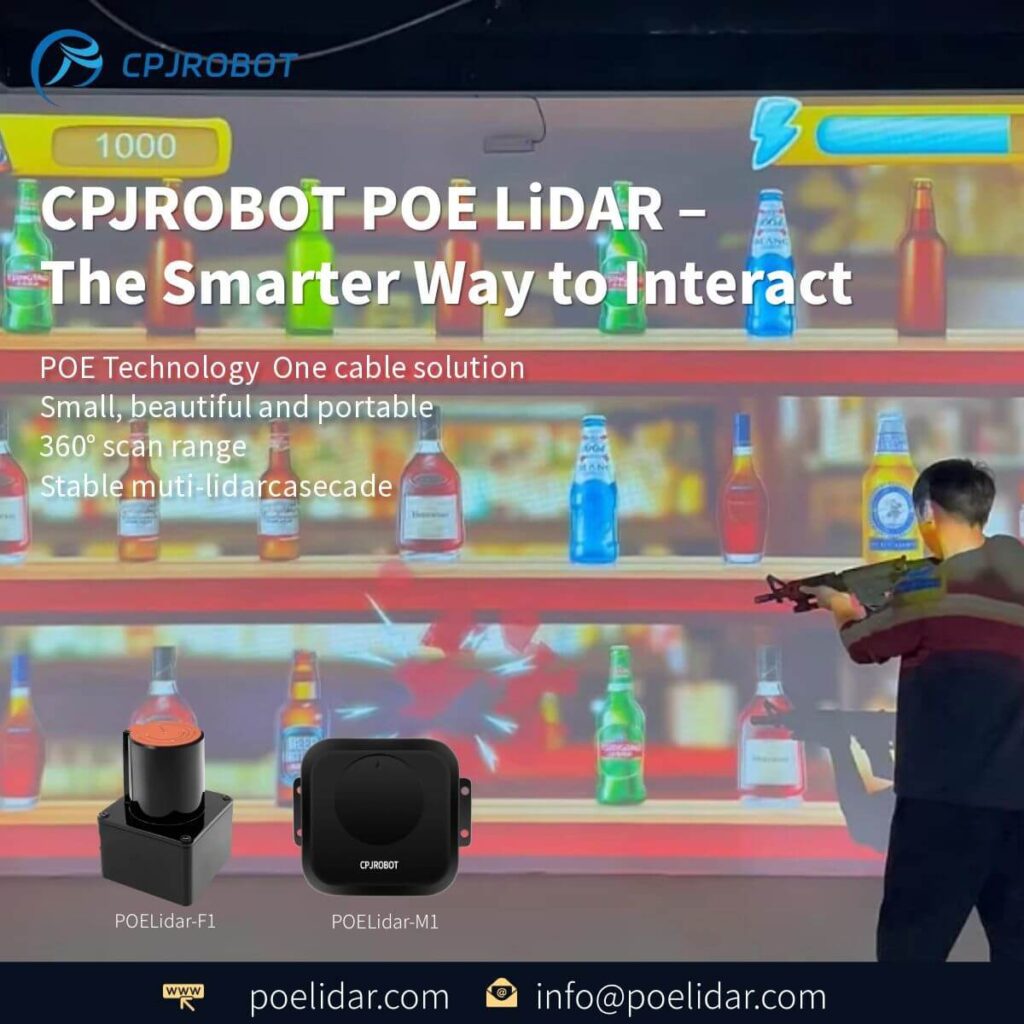
CPJROBOT focuses on PoE Interactive LiDAR solutions and greeting & navigation robots for commercial environments.
If you’re planning an interactive sports zone, our goal is to make deployment straightforward:
- Stable LiDAR tracking for multi-player interaction
- Flexible content integration for floor/wall/LED scenarios
- Commercial-grade engineering mindset for uptime, safety, and maintainability
FAQ (Common Questions)
1) How many players can participate at the same time?
It depends on play area size, game design, and sensor coverage. Many commercial setups support 2–8 players, and larger zones can support more with proper planning.
2) Do users need to wear sensors or hold controllers?
No. One of the biggest benefits is wearable-free interaction—players simply move naturally.
3) Is LiDAR interactive projection suitable for bright venues like malls?
Yes, especially if paired with high-lumen projection or LED screens. LiDAR tracking is generally less affected by shadows than camera-only systems.
4) Can we change games later without changing hardware?
In most cases, yes. The hardware stays the same while you update or expand content through software—ideal for seasonal campaigns and repeat visits.
5) What’s the recommended minimum space?
A compact experience can start around 4m × 3m. For a more “sports-like” multiplayer feel, 6m × 4m is a common baseline.
6) Floor projection or wall projection—which is better?
Floor projection is intuitive for sports fields and foot interaction. Wall projection is excellent for target-based challenges and spectator appeal. Many venues combine both.
7) How long does installation typically take?
For standard spaces with prepared power/network and a clear area, deployment can be relatively fast. The biggest variables are mounting, calibration, and content setup.
If you’re planning a LiDAR interactive projection zone for virtual sports—whether it’s a kids’ attraction, mall activation, or a full-scale sports entertainment arena—CPJROBOT can help you turn the concept into a reliable commercial installation.
You May Also Be Interested In:
- Single-Channel LiDAR Range & Accuracy Specs Guide
- PoE LiDAR Single vs Multi-Channel: Key Differences