PoE Interactive LiDAR for Stage Installations and Live Performances

Live performances and concerts are no longer just about sound and visuals—they are increasingly about real-time audience interaction.PoE Interactive LiDAR has emerged as one of the most reliable technologies for creating contactless, multi-user, large-scale interaction across stages, floors, walls, and LED screens. From interactive music control to crowd-driven lighting effects, LiDAR enables performers and audiences…

How Many Touch Points Does LiDAR Need for Large Interactive Wall?

When designing a large interactive music wall or LiDAR interactive projection system, one of the most critical—and often underestimated—specifications is multi-touch capacity. For small installations, limited touch points may be sufficient. But for large walls with multiple users, insufficient touch capacity quickly leads to missed inputs, delayed responses, and a frustrating experience. So, how many…

Recommended LiDAR Sensors for Interactive Music Walls

When designing an interactive music wall or interactive music pillar, the choice of LiDAR sensor is critical.Unlike standard interactive projection, music interaction places higher demands on multi-touch performance, latency, accuracy, and environmental robustness. The system must respond smoothly to fast hand movements, support multiple users simultaneously, and remain stable under strong projection light or stage…

PoE LiDAR Interactive Music Wall: Turning Architecture into a Playable Instrument

A PoE LiDAR Interactive Music Wall (also known as an interactive music wall or music pillar installation) transforms ordinary walls, columns, or light poles into playable musical interfaces.By combining LiDAR motion sensing, projection mapping, and audio feedback, architectural surfaces become responsive instruments that users can play with their hands, gestures, or body movements—without physical contact.…

LiDAR Interactive Projection in Sports Entertainment: Latency and Accuracy Metrics Explained

In virtual sports entertainment, players don’t judge a system by its sensor specs—they judge it by feel. If a kick looks “late,” or a boundary call feels unfair, the experience breaks instantly. That’s why most successful LiDAR interactive projection projects focus on two engineering metrics: Then, for real-world venues, you add two more practical dimensions:…

How to Use Unity with LiDAR Data for Sports Interaction

If you’re building a virtual sports experience (run, jump, kick, score) and want multi-player interaction without wearables, LiDAR tracking is one of the most practical sensing options. The “real work” is not the graphics—it’s the data path: LiDAR (SDK/middleware) → network packets (UDP/TCP/TUIO) → Unity C# receiver → coordinate mapping → gameplay triggers (movement, collisions,…

LiDAR Layout Designs for Multiplayer, Same-Screen Virtual Sports

When you build a multiplayer virtual sports experience—where several people run, jump, kick, and compete on the same projected “field”—your LiDAR layout matters as much as the game content. A good layout solves four real-world problems at once: Below are the most common LiDAR deployment patterns used for multi-user, same-screen virtual sports, plus practical tips…

LiDAR Interactive Projection for Virtual Sports Entertainment

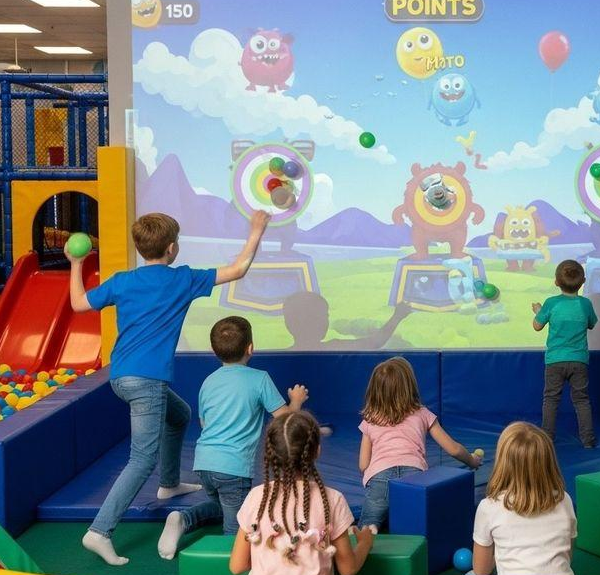
Virtual sports entertainment is evolving fast—people want movement, competition, and immersion, but they don’t want to wear sensors or hold controllers. That’s exactly where LiDAR interactive projection shines. By combining LiDAR-based multi-person tracking + real-time game visuals (projector or LED screen), venues can create a “run, jump, kick, and score” experience that feels like a…