Introduction: Why LiDAR Stability Matters in Interactive Projects
In modern interactive installations—such as museums, exhibition halls, retail spaces, and immersive environments—PoE LiDAR systems play a critical role in enabling accurate, real-time touch interaction.
However, real-world deployments often face issues like:
- Device connection failures
- “Ghost” touch triggers
- Poor touch accuracy
- Multi-device synchronization problems
These are not random failures—they are systematic and diagnosable.
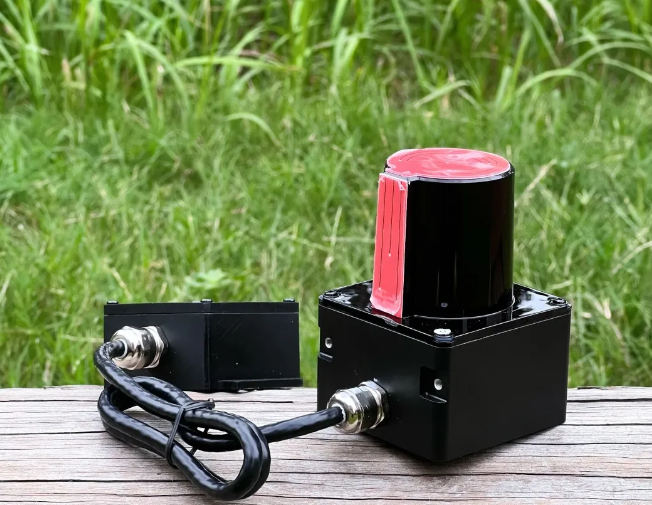
This guide provides a POELIDAR-F1 LiDAR field-tested troubleshooting framework to quickly identify root causes and restore system stability.
Common Pain Points in Interactive LiDAR Projects
From real deployment experience, most failures fall into four categories:
1. Connectivity Issues
System cannot detect the LiDAR device.
2. False Triggering (“Ghost Touch”)
Unexpected interactions without user input.
3. Low Touch Accuracy
Touch points deviate from actual position.
4. Multi-LiDAR Cascading Failure
Multiple devices fail to synchronize properly.
Understanding these categories is the first step toward efficient troubleshooting.
Core Technical Logic: How PoE LiDAR Systems Work
Before troubleshooting, it’s important to understand the system structure:
- Power & Data Integration (PoE) → Single Ethernet cable delivers both
- IP-Based Communication → Each LiDAR operates via unique IP
- Optical Detection System → Sensitive to reflection and light conditions
- Software Calibration Layer → Maps physical space to digital coordinates
Most issues originate from one of these four layers.
Practical Troubleshooting Guide (Step-by-Step)
1. LiDAR Cannot Connect
Diagnosis Flow:
- Check Ethernet port indicators on both LiDAR and PoE switch
- If lights are ON → proceed to network test
- Ping default IP:
192.168.10.160
If ping succeeds:
- Verify PoE switch output:
- Voltage: 48V–53V
- Power: sufficient per port
If still unstable:
- Check Ethernet cable:
- All 8 wires must be fully connected
- Disable firewall:
- Windows Firewall + third-party software (e.g., 360, Huorong)
- Ensure no IP conflicts
2. “Ghost Touch” / False Triggering
Typical Causes:
- Reflective surfaces (glass, polished floors)
- Direct strong light (sunlight / spotlight)
- Dirty LiDAR emitter
Solutions:
- Remove or cover reflective surfaces
- Avoid direct light exposure
- Clean LiDAR emitter surface
- Use software masking to block interference zones
3. Low Touch Accuracy
Case A: Large deviation (> hand size)
- Likely mechanical/system-level error
- Check:
- Projection blending alignment
- Coordinate distribution uniformity
Case B: Small deviation
- Check installation:
- Stable mounting
- Correct angle
- Recalibrate:
- Perform 4-point calibration
- Verify coverage:
- Ensure full interaction area is within LiDAR range
- Avoid weak edge detection zones
4. Multi-LiDAR Cascading Issues
POELIDAR-F1 supports 20+ devices on a single PC, but failures may occur.
Checklist:
- Each LiDAR must have a unique IP address
- Verify all Ethernet connections
- Ensure switch power capacity supports multiple devices
👉 In large-scale projects, power budgeting is often overlooked, leading to unstable performance.
Selection & Deployment Best Practices
To minimize troubleshooting later:
- Choose industrial-grade PoE switches
- Plan IP allocation before deployment
- Avoid reflective materials in design phase
- Ensure full-area LiDAR coverage (not edge-only)
- Allocate sufficient power margin (not just minimum spec)
Engineering insight:
Most system failures are not hardware defects—but installation and environment mismatches.
Why Choose CPJROBOT
As a specialized manufacturer of PoE LiDAR interactive systems, CPJROBOT focuses on:
- Stable multi-device cascading architecture
- High anti-interference performance
- Flexible integration (Unity / C# / C++)
- Proven deployment in large-scale interactive environments
This troubleshooting guide is based on real project experience, not theoretical assumptions.
FAQ (Structured for Google Featured Snippets)
What causes LiDAR connection failure?
Most commonly: insufficient PoE power, faulty cables, firewall blocking, or IP conflicts.
Why does my LiDAR system trigger without touch?
Usually due to reflective surfaces, strong lighting, or sensor contamination.
How accurate is PoE LiDAR touch detection?
With proper calibration, accuracy can reach centimeter-level precision.
How many LiDAR devices can run together?
POELIDAR-F1 supports 20+ devices per PC, depending on system configuration.
Do I need a special switch for PoE LiDAR?
Yes. It must provide:
- 48–53V output
- Stable power per port
- Enough total power budget
Conclusion: From Reactive Fixing to Proactive Design
LiDAR system issues are rarely random.
They are predictable, diagnosable, and preventable.
The difference between unstable and reliable systems lies in:
- Proper installation
- Environmental control
- Structured troubleshooting
If you’re planning or troubleshooting an interactive project:
- Get expert guidance on LiDAR system design
- Optimize multi-device deployment
- Reduce project risk before installation
Work with CPJROBOT to ensure your interactive system performs reliably from day one