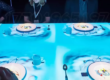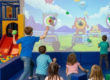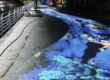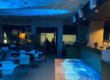

Introduction: When Children’s Drawings Become Living Digital Worlds
Imagine a child drawing a colorful fish on a piece of paper.
After completing the artwork, the child places the drawing into a scanning station. Within seconds, a digital version of the fish appears on a giant ocean projection wall.
The fish begins swimming among coral reefs, bubbles, and other animated marine creatures.
Even more exciting, the child can approach the projection wall, touch the fish, and watch it respond with movement or colorful visual effects.
This is the concept behind interactive drawing projection, also known as a magic drawing wall, scan-and-play projection, or interactive digital aquarium.
By combining artwork scanning, animation software, projection equipment, and motion-detection technology, educational venues can create immersive environments where children’s creativity becomes part of an interactive digital world.
With CPJROBOT PoE LiDAR interactive sensors, developers can add responsive touch and movement interaction to compatible projection walls, floors, and digital learning installations.
For kindergartens, early education centers, children’s museums, and science museums, this technology creates opportunities to combine artistic expression, physical activity, collaborative storytelling, and exploratory learning.
1. Why Traditional Children’s Play Areas Need More Creative Experiences
The Limitations of Conventional Playground Equipment
Traditional children’s activity areas often rely on physical equipment such as slides, climbing structures, building blocks, and mechanical games.
These facilities remain valuable for children’s physical development, but they may offer limited opportunities for personalized storytelling or digital creativity.
Educational venue operators face several common challenges:
- Children may become less interested in repetitive activities.
- Fixed playground equipment can be expensive to replace or expand.
- Different age groups require different levels of engagement.
- Parents increasingly look for meaningful educational experiences.
- Museums need exhibits that encourage active participation rather than passive observation.
For many operators, the challenge is not simply attracting children to an activity.
It is creating experiences where children can explore, experiment, collaborate, and express their ideas.
From Passive Entertainment to Interactive Learning
Interactive projection introduces a different approach.
Instead of only watching a screen, children become participants in the projected environment.
They can draw, touch, move, explore, and influence digital content through physical actions.
For example:
- A drawing can become an animated sea creature.
- A child’s hand movement can trigger projected ocean waves.
- A group of children can work together to complete a digital mission.
- A digital sandbox can visualize changes in simulated landscapes.
These activities can be designed to support creativity, spatial reasoning, hand-eye coordination, and teamwork.
Educational outcomes depend on the age group, instructional design, and how the activity is facilitated. Interactive technology provides the experience, while well-designed learning content determines its educational value.
2. What Is Interactive Drawing Projection?
Interactive drawing projection is a multimedia system that transforms children’s artwork into digital visual content.
A typical installation includes drawing templates, an image scanning device, image-processing software, animation content, a large projection wall, and optional interactive tracking sensors.
How a Magic Drawing Wall Works
Step 1: Children Create Their Own Artwork
Children receive printed drawing templates featuring fish, dolphins, turtles, jellyfish, or other marine animals.
They use crayons, colored pencils, or markers to create their own designs.
Each artwork becomes a unique expression of the child’s imagination.
Step 2: Scan the Completed Drawing
The child places the drawing into a scanning station.
A camera or scanner captures the image, while dedicated software extracts the artwork and maps its colors onto a predefined digital character.
Step 3: Transform the Drawing into a Digital Character
The animation system applies the child’s artwork to a prepared animated model.
The character can then move naturally within a digital scene.
For example, a two-dimensional fish drawing may become the texture of an animated 3D fish model.
Step 4: Project the Character onto a Giant Ocean Wall
A projector or LED display presents the animated fish in a virtual underwater environment.
Children see their own creations swimming through a digital ocean.
Step 5: Add Touch Interaction with CPJROBOT PoE LiDAR
This is where CPJROBOT interactive sensing technology can enhance the installation.
A suitably mounted PoE LiDAR sensor detects hand positions or movements in the defined interaction area.
When a child touches or approaches an interactive target, compatible software triggers a corresponding animation.
For example:
- Touch a fish to make it change direction.
- Tap a coral reef to release bubbles.
- Interact with a turtle to start an animation.
- Touch a virtual treasure chest to reveal a surprise.
- Work with other children to complete an ocean discovery mission.
Important: Scanning artwork, generating animated characters, and rendering 3D graphics are functions of the imaging and content software. CPJROBOT LiDAR provides the interaction-detection layer and does not independently scan drawings or generate 3D models.
3. Interactive Ocean Walls: Turning Art into Immersive Learning
Create a Digital Aquarium Filled with Children’s Artwork
An interactive ocean wall can become a centerpiece for a kindergarten, children’s museum, shopping mall, or science education center.
Instead of displaying fixed ocean animations, the installation continuously introduces new characters created by participating children.
As more children complete their drawings, the virtual aquarium becomes increasingly colorful.
Each digital animal can carry its creator’s unique colors and visual design.
This personalized experience encourages children to observe their artwork, share their creations, and participate in imaginative storytelling.
Explore Marine Life Through Interactive Games
Educational designers can combine drawing activities with age-appropriate marine science content.
For example, children can explore:
Ocean Habitats
Discover where different marine animals live, including coral reefs, coastal waters, and deep-ocean environments.
Marine Animal Identification
Touch projected sea creatures to reveal their names, behaviors, and habitat information.
Ocean Conservation
Create interactive activities where children remove virtual waste from the ocean or help sea animals navigate around obstacles.
Food Chains and Ecosystems
Use simplified interactive animations to introduce relationships between marine organisms.
These experiences can help children engage with environmental concepts through visual exploration and guided discussion.
Support Collaborative Storytelling
Interactive ocean walls can also encourage group participation.
One child creates a fish, another designs a turtle, and others create different sea animals.
Together, their characters populate the same digital environment.
With suitable game design, children can work together to complete tasks such as collecting underwater treasures or protecting a coral reef.
The combination of shared artwork and interactive storytelling provides opportunities for communication, turn-taking, and collaborative play.
4. Digital Interactive Sandboxes: Exploring Geography Through Play
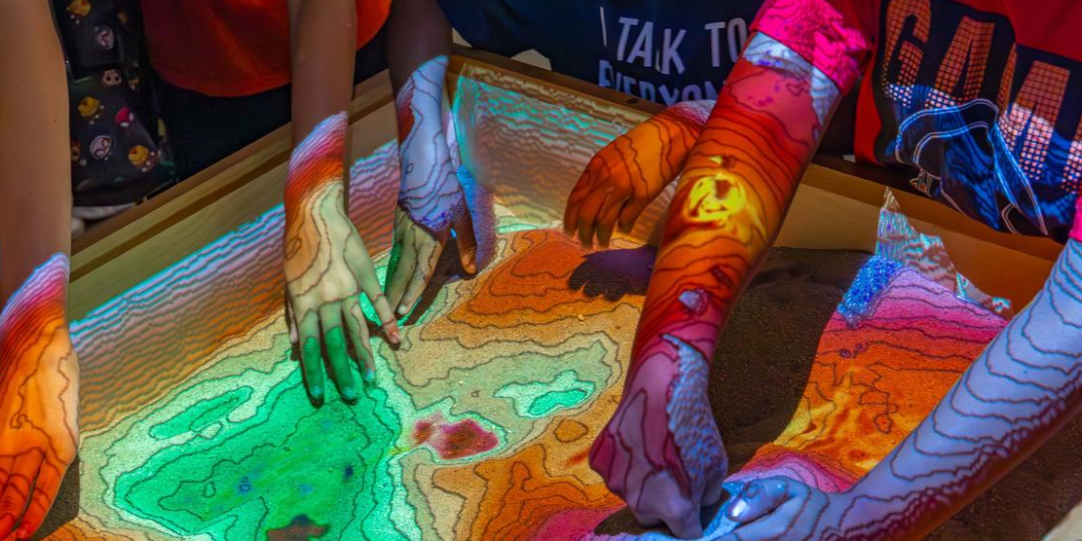
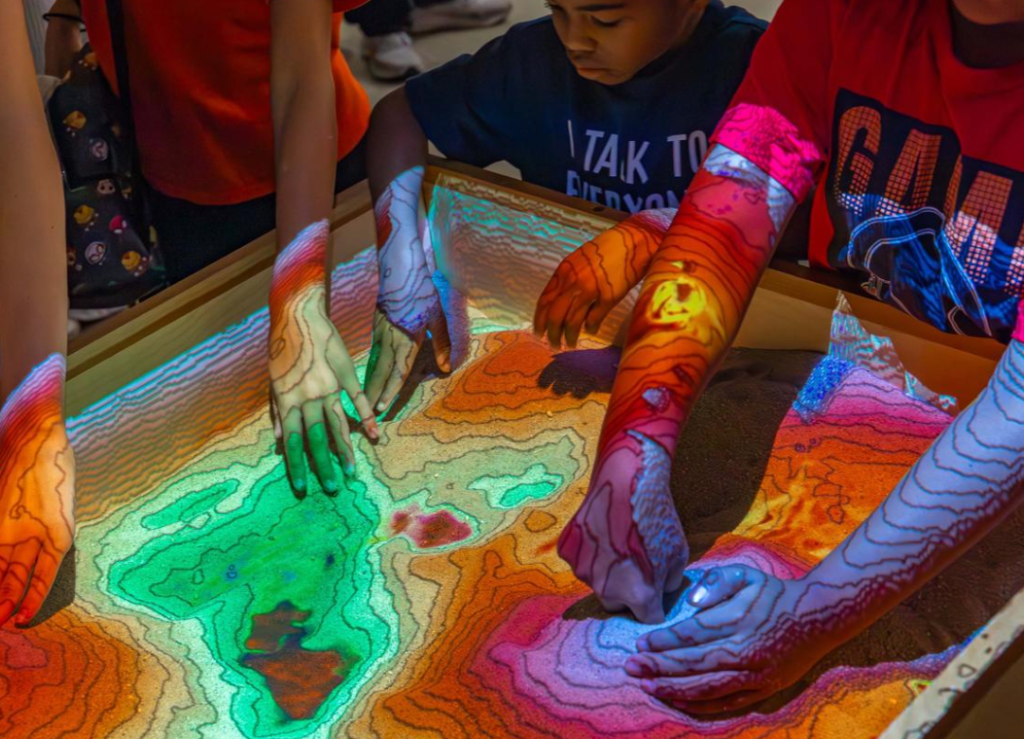
Another educational interactive projection application is the augmented reality sandbox, also known as an AR sandbox or interactive digital sand table.
This system combines physical sand with projected digital effects to visualize landscapes and environmental changes.
How an Interactive AR Sandbox Works
In a typical AR sandbox installation, children use their hands to reshape the sand.
A depth-sensing device or suitable 3D terrain measurement system detects changes in the sand’s surface.
Software converts this information into a digital elevation map, while an overhead projector displays corresponding colors, contour lines, water simulations, or terrain effects.
For example:
- A raised sand area becomes a mountain.
- A deep depression becomes a valley.
- Lower elevations may display simulated water.
- Changes in terrain can trigger animated environmental effects.
Simulating Volcano Eruptions and Geological Processes
Digital sandboxes can also include educational simulations.
A child may shape a mountain, select a volcano simulation, and watch animated lava flow across the projected terrain.
Other content can demonstrate:
- River formation and water flow
- Rainfall and flooding
- Mountain and valley structures
- Watersheds and erosion
- Basic topographic maps
- Volcanic activity
These visual experiences offer a hands-on introduction to geography, geology, and environmental science.
Where Does CPJROBOT PoE LiDAR Fit?
A conventional 2D interactive LiDAR sensor should not be treated as a substitute for a full 3D terrain scanner.
Accurate AR sandbox elevation mapping generally requires depth-camera technology or another appropriate three-dimensional measurement system.
However, CPJROBOT PoE LiDAR can be integrated into a broader digital sandbox exhibit to provide additional interaction functions.
For example, it may support compatible controls on an adjacent projection wall, selectable interactive zones, or touch-triggered educational content.
An educational installation could combine:
- A 3D depth sensor for physical terrain measurement.
- A projector for terrain visualization.
- A computer running geographical simulation software.
- CPJROBOT PoE LiDAR for supplementary interaction zones.
- Educational content tailored to the target age group.
This hybrid architecture allows exhibit designers to combine accurate terrain visualization with additional interactive storytelling.
5. Motion-Based Interactive Projection Games for Children
Interactive drawing installations become even more engaging when combined with physical movement.
CPJROBOT PoE LiDAR sensors can support motion-responsive projection experiences in suitable wall and floor configurations.
5.1 Interactive Ocean Floor
Imagine a floor covered with projected ocean waves.
When children step onto the surface, water ripples spread around their feet.
Animated fish move across the floor, while interactive content responds to detected positions.
Game designers can introduce activities where children follow marine animals, collect virtual objects, or explore underwater environments.
5.2 Interactive Digital Graffiti Walls
A digital graffiti wall allows children to interact with projected artwork.
By touching or moving across designated wall areas, children can trigger colors, shapes, animations, or game events.
Possible activities include:
- Virtual painting
- Digital stamp collection
- Interactive color mixing
- Animated storytelling
- Group art creation
With suitable software, multiple children can participate in the same interactive scene.
5.3 Educational Team Games
Motion-based projection can also support group challenges.
Examples include:
- Working together to restore a digital coral reef.
- Collecting projected shapes to complete a puzzle.
- Identifying different animal habitats.
- Matching colors, numbers, or letters.
- Completing interactive environmental missions.
These games can encourage children to communicate and coordinate their actions.
Actual learning outcomes should be evaluated through observation and educational assessment rather than assumed from the technology alone.
6. Why Choose CPJROBOT PoE LiDAR for Educational Interactive Projection?
CPJROBOT develops interactive LiDAR sensors for applications including projection walls, interactive floors, digital art installations, and immersive exhibition spaces.
Its PoE LiDAR products provide a sensing platform for developers who want to create interactive educational experiences.
6.1 Power over Ethernet for Simplified Installation
One of the key advantages of CPJROBOT PoE LiDAR technology is the use of Power over Ethernet.
Compatible sensors receive electrical power and transmit data through a single Ethernet cable.
This can simplify cabling in:
- Kindergarten activity rooms
- Museum exhibition walls
- Interactive classrooms
- Children’s entertainment centers
- Immersive projection rooms
For venues upgrading existing spaces, fewer dedicated sensor cables can make equipment integration more manageable.
Projectors, computers, and additional equipment still require their own suitable power and communication infrastructure.
6.2 Wide-Angle Interaction Detection
CPJROBOT offers interactive sensors with different scanning configurations.
The CPJROBOT M1 PoE LiDAR features a 360-degree scanning field of view, while the CPJROBOT F1 PoE LiDAR provides a 270-degree field of view.
These configurations give system designers options for different interactive layouts.
The appropriate sensor depends on the required interaction area, mounting location, target size, potential obstructions, and software processing.
6.3 Multi-Touch Interactive Experiences
Collaborative educational activities often involve several children interacting with the same projection surface.
CPJROBOT’s interactive LiDAR technology can support multi-point interaction in compatible applications.
This enables developers to create experiences where multiple users trigger digital content within a shared interactive area.
For example, several children could interact with projected marine animals or participate in a group-based educational challenge.
Practical simultaneous-user capacity depends on tracking conditions, sensor coverage, and application design.
6.4 Free LiDAR Touch Software
CPJROBOT provides free LiDAR Touch software for supported PoE LiDAR interactive sensors.
This software helps developers configure detection regions, map interaction coordinates, and calibrate the sensor for projection-based applications.
It provides a starting point for testing LiDAR interaction before building a complete exhibition installation.
6.5 Free Interactive Testing Resources and SDK Support
CPJROBOT also provides downloadable resources for evaluating its interactive LiDAR technology.
These include:
- LiDAR Touch software
- Interactive game demo resources
- Open SDK for PoE LiDAR M1
- Open SDK for PoE LiDAR F1
- Development resources for compatible sensing workflows
For system integrators, these tools can reduce the effort involved in evaluating basic hardware and software integration.
Developers can then create customized applications that connect sensing information to interactive animations, games, and educational content.
Explore free software and SDK resources at: https://www.poelidar.com/download-center/
Free testing resources do not necessarily include a complete commercial drawing-scanning application, 3D marine animation library, or AR terrain simulation platform. These elements may require separate software development or licensing.
7. CPJROBOT M1 vs. F1: Choosing an Interactive LiDAR Sensor
The following comparison provides a starting point for educational projection system design.
| Specification | CPJROBOT M1 | CPJROBOT F1 |
|---|---|---|
| Sensor Type | Interactive 2D LiDAR | Interactive 2D LiDAR |
| Scanning Field of View | 360° | 270° |
| Connectivity | PoE Ethernet | PoE Ethernet |
| Multi-Point Interaction | Supported through compatible software | Supported through compatible software |
| Configuration Software | LiDAR Touch | LiDAR Touch |
| SDK Resources | Available | Available |
| Potential Use | Multi-directional interaction, digital art and interactive wall projects | Defined wall and floor interactive zones |
When to Consider the M1
The M1 may be suitable for installations requiring a compact sensor or wider angular coverage.
Examples include interactive wall displays, multi-directional activity areas, and digital graffiti projects.
When to Consider the F1
The F1 may be suitable when the interactive area is positioned within a defined wide-angle scanning sector.
Examples include exhibition walls, interactive projection games, and educational floor installations.
For either sensor, project designers should test real interaction performance at the planned mounting height, viewing distance, and expected user density.
8. Applications in Kindergartens, Museums, and Early Learning Centers
Interactive drawing projection can be adapted to different educational environments.
Kindergartens and Preschools
For early childhood facilities, interactive projection can support art lessons, guided play, storytelling sessions, and introductory science activities.
A magic drawing wall can turn an ordinary classroom art exercise into a shared digital exhibition.
Early Education Centers
Educational centers can develop themed learning programs that combine visual creativity, movement, and structured activities.
For example, an ocean-themed lesson could include drawing marine animals, watching animated characters, and identifying habitats through interactive games.
Science Museums
Science museums can use interactive projection to introduce environmental science, physical processes, and digital media technology.
An ocean wall may explore marine ecosystems, while an AR sandbox can demonstrate changes in topography and water flow.
Children’s Museums
Children’s museums can combine creative art installations with interactive storytelling.
Visitors can create digital characters and explore exhibits designed around imagination, cooperation, and experimentation.
Shopping Mall Children’s Activity Zones
Commercial entertainment venues can use interactive drawing walls and motion-based projection games as part of a family entertainment offering.
Software-driven content can also support seasonal themes and new activities without requiring the complete replacement of physical playground equipment.
9. How to Build an Interactive Drawing and Projection System
An interactive drawing installation involves several connected technologies.
Understanding the hardware and software architecture is essential for educators, exhibition designers, and system integrators.
Step 1: Define the Educational Experience
Determine whether the primary objective is artistic creativity, science education, collaborative storytelling, or physical interaction.
The educational objective should guide the choice of content and technology.
Step 2: Select the Projection Surface
Identify the intended display environment.
Possible options include a flat projection wall, a large immersive projection surface, or an LED display.
Consider image size, viewing distance, room brightness, and accessibility for children.
Step 3: Integrate Artwork Scanning
Use a compatible scanning device or camera to capture children’s drawings.
The content system must be able to process the artwork and transfer it into the animated digital environment.
Step 4: Develop the Animation Environment
Create or license the digital scene and animated characters.
For an interactive ocean wall, this may include marine life models, underwater backgrounds, environmental effects, and game logic.
Step 5: Install CPJROBOT PoE LiDAR
Select an appropriate sensor based on the wall dimensions and interaction layout.
Position the LiDAR to detect intended hand movements near the projection surface.
Use compatible PoE network equipment to provide power and communication.
Step 6: Configure LiDAR Touch
Install the supported LiDAR Touch software.
Configure the interactive region and calibrate the coordinate mapping between the detection area and the projected content.
Step 7: Connect LiDAR Data to the Interactive Application
Use a supported integration method or SDK to connect LiDAR interaction events to the animation software.
For example, a touch coordinate may trigger a fish animation, an information popup, or a game event.
Step 8: Test With Real Users
Before opening the installation, conduct practical tests with the expected age group.
Evaluate:
- Interaction accuracy
- Response time
- Multiple-user behavior
- Detection dead zones
- Accessibility and reachability
- Screen visibility and projection brightness
- Equipment protection and cable management
- Ease of use for children and educators
The scanning plane, child height, and wall interaction distance should be carefully considered.
The resulting installation should be intuitive and safe for supervised use.
10. Procurement Checklist for Educational Interactive Projection Projects
For school administrators and museum exhibition planners, selecting a complete solution involves more than choosing a sensor.
| Evaluation Area | Key Questions |
|---|---|
| Educational Content | Does the experience match children’s ages and learning objectives? |
| Artwork Scanning | Is a scanner, image processor, and animation workflow included? |
| LiDAR Detection | Is the sensor appropriate for the interaction area and installation geometry? |
| Multi-User Support | Can the application reliably handle the expected number of children? |
| Projection System | Is image brightness sufficient for the venue? |
| Software | Are calibration tools, SDKs, and content licenses clearly defined? |
| Safety | Are equipment, cables, mounting structures, and operating procedures suitable for children? |
| Maintenance | Who provides updates, technical support, and replacement components? |
| Scalability | Can new content and interaction zones be added later? |
For custom projects, requesting a demonstration with the actual proposed interaction content is particularly useful.
11. Frequently Asked Questions About Interactive Drawing Projection
Q1: What is a magic drawing wall?
A magic drawing wall is an interactive multimedia installation that converts children’s physical drawings into digital characters displayed on a large screen or projection wall. A compatible interactive sensing system can allow children to touch or interact with those characters.
Q2: Can CPJROBOT PoE LiDAR make children’s drawings come alive?
CPJROBOT PoE LiDAR can provide interactive sensing for a magic drawing wall. The scanning of artwork, conversion into animated characters, and 3D rendering are handled by separate imaging and animation software.
Q3: Does CPJROBOT provide free interactive testing software?
Yes. CPJROBOT provides free LiDAR Touch software for supported PoE interactive sensors, along with downloadable testing resources and SDK packages. These tools help developers evaluate and configure interactive projection systems.
Q4: Is interactive drawing projection suitable for kindergartens?
Yes, when designed for the target age group and installed with appropriate safety measures. Activities can combine drawing, digital storytelling, group play, and guided educational content.
Q5: Can multiple children interact with the same ocean projection wall?
Yes. Compatible multi-point interactive systems can support several participants. The actual number of reliably tracked interactions depends on sensor placement, coverage, participant spacing, and software design.
Q6: Can CPJROBOT PoE LiDAR be used in an AR sandbox?
CPJROBOT 2D interactive LiDAR can support supplementary touch or movement interaction within a broader AR sandbox exhibit. Accurate mapping of the sand’s changing three-dimensional terrain generally requires a separate 3D depth-sensing system.
Q7: Is a special touchscreen required?
No. LiDAR-based interactive projection can use a suitable wall or floor surface with a projector and external sensing hardware. A conventional touchscreen display is not necessarily required.
Q8: Can developers create customized educational games?
Yes. CPJROBOT provides SDK resources for supported sensors. Developers can use the sensor information to build appropriate interactive applications, including educational games, visual storytelling, and custom multimedia experiences.
Q9: Is PoE LiDAR suitable for upgrading an existing educational facility?
It can be suitable for retrofit projects because compatible sensors use Ethernet cabling for both power and data. However, the complete installation must still account for projectors, computers, mounting positions, software, and safety requirements.
Q10: How can museum designers test CPJROBOT interactive LiDAR before deployment?
They can evaluate the appropriate sensor using CPJROBOT’s available LiDAR Touch software, game demonstrations, and model-specific SDK resources. Testing should confirm interaction coverage, user capacity, calibration, and compatibility with the planned application.
Conclusion: Transform Creative Learning with Interactive Projection
Children’s drawings are more than pictures on paper. They can become the starting point for immersive storytelling, scientific exploration, and collaborative digital play.
Interactive drawing projection allows children to see their artwork transformed into animated digital environments, while interactive ocean walls and motion-responsive games invite them to explore the results through movement and touch.
Digital sandboxes provide additional opportunities for hands-on geography and environmental science experiences.
For kindergartens, early education centers, science museums, and children’s exhibition venues, these technologies create flexible ways to combine creativity, experimentation, and interactive learning.
CPJROBOT PoE LiDAR provides a practical sensing foundation for touch-responsive walls, interactive floors, and digital art installations.
With PoE connectivity, multi-point interaction capabilities, free LiDAR Touch software, and SDK resources, CPJROBOT helps developers and system integrators evaluate and build customized interactive projection experiences.
Bring Your Educational Interactive Projection Project to Life
Looking to create a magic drawing wall, interactive digital aquarium, immersive classroom, or children’s museum installation?
Explore CPJROBOT’s interactive PoE LiDAR solutions and development resources.
Website: https://www.poelidar.com/
Wall Interaction Solutions: https://www.poelidar.com/project/wall-interaction/
Free LiDAR Touch Software & SDK: https://www.poelidar.com/download-center/
Email: [email protected]
Contact CPJROBOT to discuss your interactive projection project, evaluate suitable LiDAR sensors, and explore available free testing resources.