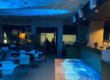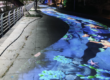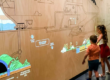

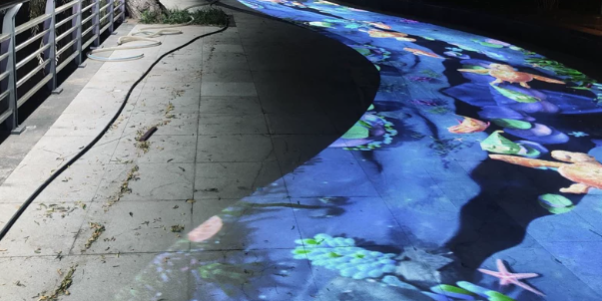
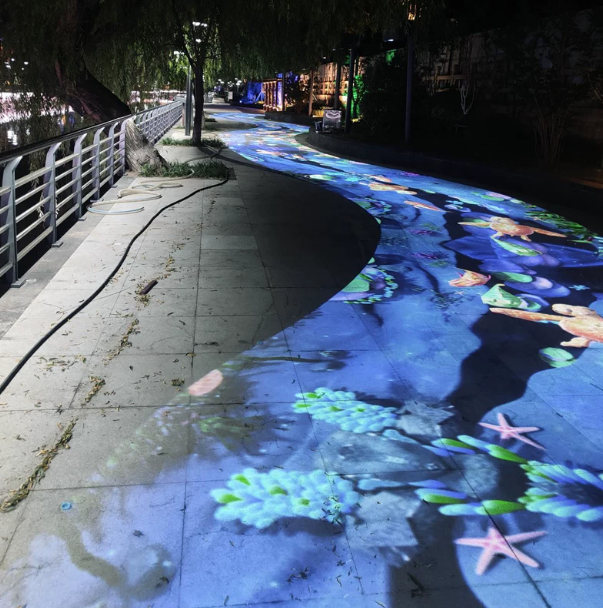
Imagine walking across an ordinary floor and watching digital ocean waves spread naturally beneath your feet. Every step generates ripples, virtual fish respond to movement, and multiple visitors interact with the same projected environment.
Behind this experience is a combination of laser sensing, coordinate processing, network communication, and real-time visual rendering.
But how does an interactive floor actually work, and why is PoE LiDAR becoming an attractive sensing solution for immersive projection installations?
This technical guide explains how CPJROBOT PoE LiDAR powers ocean wave floor projection, from laser scanning and touch detection to LidarTouch calibration, SDK integration, and final projection output.
It also compares LiDAR with infrared and camera-based tracking to help system integrators select suitable technology for their projects.
1. What Is a PoE LiDAR Interactive Projection Sensor?
PoE LiDAR is a laser-based distance measurement sensor that combines LiDAR sensing with Power over Ethernet connectivity.
In interactive projection applications, a 2D LiDAR sensor scans a defined plane to detect objects intersecting its measurement area.
For interactive floors, sensors can be positioned so that the scanning plane detects feet or other objects near the floor surface.
The detection data is processed into interaction coordinates, allowing software to generate visual effects corresponding to visitor movement.
CPJROBOT offers PoE interactive LiDAR solutions designed for projection applications, including:
- Interactive ocean wave floors
- Touch-sensitive projection walls
- Immersive museum installations
- Children’s interactive playgrounds
- Commercial exhibition spaces
- Large-scale multi-user projection systems
The CPJROBOT F1 PoE LiDAR uses Time-of-Flight ranging and provides a 270° scanning field. The M1 offers a 360° scanning configuration for different installation geometries.
These sensors form the detection layer of an interactive projection system.
2. How Interactive Ocean Wave Floor Projection Works
An interactive ocean wave floor involves several connected processing stages.
Laser Scanning → Object Detection → Coordinate Calculation → Network Transmission → Interaction Processing → Wave Rendering → Projection Output
Understanding this sequence is essential for designing stable and responsive installations.
Step 1: Laser Scanning and Distance Measurement
CPJROBOT PoE LiDAR uses Time-of-Flight (TOF) technology to measure distances.
The sensor emits laser light and measures the time associated with the reflected signal.
Distance is calculated according to the light’s travel time.
As the sensor scans across its field of view, it produces a series of distance measurements representing objects intersecting the scanning plane.
Unlike conventional cameras, LiDAR does not need to recognize visible image features to measure distance.
However, measurement performance still depends on sensor specifications, surface reflectivity, range, and environmental conditions.
Step 2: Detecting Footsteps and Movement
For interactive floor projection, the LiDAR scanning plane is positioned according to the intended detection geometry.
When a visitor steps into the detection plane, the measured distance profile changes.
Processing software identifies these changes and distinguishes potential interaction points from static environmental objects.
Common processing methods include:
- Background subtraction
- Distance threshold filtering
- Object clustering
- Detection-zone masking
- Temporal filtering
These methods help prevent furniture, fixed structures, and measurement noise from generating unwanted interactions.
Step 3: Converting Measurements into Coordinates
Raw LiDAR measurements contain distance and angle information.
The processing system converts these measurements into Cartesian coordinates.
For a two-dimensional scan:
X = Distance × cos(Angle)
Y = Distance × sin(Angle)
The resulting coordinates represent detected positions relative to the sensor.
Calibration software then maps these positions into the interactive projection area.
For example, a detected position on a 5 m × 5 m floor can be converted into a corresponding location within the projected image.
This coordinate alignment ensures that virtual waves appear near the visitor’s actual footsteps.
Step 4: Transmitting Tracking Data
After processing, interaction coordinates are transferred to the application responsible for rendering visual effects.
Depending on the software architecture, communication may use TUIO, compatible UDP messages, or an SDK-based interface.
The rendering application receives coordinates and interaction events rather than needing to interpret every raw laser measurement.
This separation helps simplify content development.
Step 5: Rendering Ocean Wave Effects
The visual engine converts tracking coordinates into animations.
For example, when a visitor steps onto the projected floor, the software creates a ripple centered on the detected position.
Additional effects may include:
- Expanding water waves
- Glowing footprints
- Virtual fish movement
- Floating particle effects
- Interactive underwater landscapes
TouchDesigner, Unity, or other compatible software can be used to develop these effects.
Step 6: Projecting the Final Image
A projector displays the generated content onto the physical floor.
The projected image must be geometrically aligned with the sensing area.
When detection coordinates and projected graphics are calibrated correctly, physical movement can produce a convincing interactive response.
3. Why Power over Ethernet Matters for Interactive Floor Installation
Conventional sensing systems may require separate power connections and communication cables.
PoE LiDAR simplifies the installation architecture by combining compatible power delivery and Ethernet connectivity through one cable.
Single-Cable Power and Data
CPJROBOT PoE LiDAR models can connect to appropriately rated PoE network equipment.
This enables one Ethernet cable to provide both power and data connectivity.
For system integrators, this reduces the number of separate cables required near sensor mounting locations.
Flexible Sensor Placement
Large interactive floors may require sensors to be installed along walls, around projection boundaries, or on suitable mounting structures.
Ethernet-based connections allow sensor positions to be planned according to detection geometry rather than nearby power outlets alone.
Centralized Network Infrastructure
Multiple compatible sensors can connect through a PoE network switch.
This is useful for large installations requiring several interactive zones.
However, each device must have sufficient power available, and the network must provide suitable bandwidth and stable connectivity.
Easier Maintenance
Centralized network infrastructure can simplify device identification, connection checks, and maintenance.
The result is a more manageable architecture for permanent interactive installations.
PoE reduces power cabling requirements but does not eliminate the need for proper electrical protection, network design, or environmental safeguards.
4. LidarTouch Software: Calibration and Interaction Setup
A LiDAR sensor alone cannot create a fully functional interactive projection system.
Software is required to interpret measurements, configure interaction regions, and align tracking coordinates with displayed content.
CPJROBOT provides access to LidarTouch software through its PoE LiDAR software resources.
The calibration software is intended to simplify interaction setup and reduce the amount of custom development required for common applications.
Projection Coordinate Calibration
One of the most important tasks is mapping the LiDAR detection area to the projected image.
Calibration establishes the relationship between physical interaction positions and screen coordinates.
Without correct calibration, a visitor may step at one position while an animation appears somewhere else.
Interaction Area Configuration
The installation must define where valid interactions are expected.
Configuring the active sensing region helps exclude irrelevant objects and surrounding pedestrian areas.
Detection Parameter Adjustment
Interaction performance depends on detection thresholds, filtering, and sensor placement.
Where supported by the selected software version, these parameters can be adjusted to suit the installation environment.
Compatibility with Interactive Applications
CPJROBOT’s interactive LiDAR solutions support integration approaches including TUIO and Windows touch-style interaction.
Available interfaces depend on the selected product and software version.
For standard interactive projection projects, using the supplied software can reduce the need to develop the complete sensing and calibration pipeline from scratch.
For specialized applications, developers can use SDK-based integration.
5. CPJROBOT SDK: Building Customized Interactive Experiences
Some interactive projects require more than basic touch events.
Developers may want to create advanced particle simulations, multiplayer games, generative artwork, or large-area tracking applications.
CPJROBOT provides downloadable SDK resources for compatible PoE LiDAR models, including F1 and M1.
Why Use an SDK?
An SDK allows developers to work with supported device interfaces and integrate sensing data into customized software applications.
Depending on the SDK, this may support:
- Custom interaction processing
- Application-specific coordinate mapping
- Tracking-data integration
- Specialized visualization workflows
- Integration with external development environments
TouchDesigner Integration
TouchDesigner is widely used for real-time interactive visual installations.
Processed LiDAR coordinates can be delivered through a compatible OSC/UDP interface.
For example, developers can use:
OSC In CHOP: Receive OSC tracking values.
Math CHOP: Scale coordinates to match the projection area.
Filter CHOP: Smooth movement data.
Logic CHOP: Control interaction triggers.
Feedback TOP: Create persistent ripple and particle effects.
OSC is supported directly by TouchDesigner, although middleware may be necessary depending on the LiDAR’s native output protocol.
Unity and Custom Applications
Developers can also build interactive projection content using Unity or other supported environments.
In these projects, CPJROBOT LiDAR supplies the sensing information, while the application controls animation, interaction rules, and visual output.
The required implementation depends on the software interface, development environment, and application requirements.
6. PoE LiDAR vs Infrared and Camera-Based Interactive Projection
Selecting the appropriate interactive projection sensor depends on the environment and desired interaction experience.
Infrared Touch Frames
Infrared frames create a detection region using infrared emitters and receivers.
Advantages:
- Effective for conventional touch surfaces
- Established multi-touch technology
- Suitable for defined rectangular installations
Limitations:
- Physical frame dimensions constrain deployment
- Large installations may require additional mechanical integration
- Obstructions and alignment can affect detection
Camera-Based Tracking
Camera systems detect movement using visible images or specialized optical sensing.
Advantages:
- Can capture complex visual information
- Supports image-based recognition
- Suitable for certain gesture and body-tracking applications
Limitations:
- Some systems are sensitive to changing lighting
- Occlusion can affect tracking
- Large spaces may require multiple cameras and substantial processing
PoE LiDAR Tracking
LiDAR measures distances using laser-based sensing.
Advantages:
- Does not depend on visible image recognition
- Flexible sensing-zone configuration
- Suitable for position-based floor and wall interaction
- Ethernet-based deployment with PoE connectivity
- Supports multi-sensor architectures
Limitations:
- Detection is constrained by the scanning geometry
- Reflective or difficult surfaces may affect measurements
- Multiple sensors require calibration and tracking-data integration
- Outdoor sunlight can affect some TOF sensors
Which Technology Is More Stable?
No technology performs best in every environment.
For applications primarily requiring planar position detection, LiDAR can offer advantages over some camera-based systems in environments with changing visible illumination.
However, stability depends on sensor quality, installation geometry, interference, and processing algorithms.
System integrators should evaluate the actual operating environment rather than assuming that one technology is universally superior.
7. Multi-LiDAR Integration for Large Interactive Floors
A single sensor may cover a smaller interactive floor, depending on its effective range and mounting geometry.
Large installations may require multiple sensors.
Expanding Detection Coverage
Multiple CPJROBOT PoE LiDAR devices can be arranged around the installation to monitor different regions.
A shared network infrastructure supports their connectivity.
Coordinate Calibration
Each sensor reports measurements relative to its own position.
Processing software must transform these coordinates into a common reference system.
This is necessary for consistent interaction across the full floor area.
Managing Overlapping Zones
When multiple sensors detect the same participant, their measurements may generate duplicate interaction points.
Sensor-fusion algorithms can compare positions and timing to associate related detections.
Maintaining Tracking Performance
Large installations should be evaluated for:
- Detection coverage
- Sensor positioning
- Coordinate accuracy
- Network stability
- Simultaneous interactions
- Rendering performance
- End-to-end latency
A small pilot installation can help validate these requirements before expanding to the full project.
8. Practical Installation Checklist for System Integrators
Before deploying a CPJROBOT PoE LiDAR interactive floor, engineers should complete the following steps.
1. Evaluate the Interactive Area
Measure the floor dimensions, identify obstacles, and determine the required interaction zones.
2. Select Suitable LiDAR Sensors
Compare scanning fields, effective detection ranges, available interfaces, and mounting requirements.
3. Plan the PoE Network
Verify PoE compatibility, power budgets, cable distances, and network connectivity.
4. Install and Align the Sensors
Position the scanning plane according to the interaction target and physical environment.
5. Configure LidarTouch
Use the compatible calibration software to establish the interaction area and verify coordinate alignment.
6. Connect the Visual Application
Integrate tracking coordinates with TouchDesigner, Unity, or other compatible software.
7. Test Multi-User Interaction
Evaluate simultaneous detection, movement across zones, and unwanted trigger conditions.
8. Measure System Performance
Test actual interaction latency, tracking stability, and projector responsiveness under realistic conditions.
9. Frequently Asked Questions
How does PoE LiDAR detect footsteps?
A 2D LiDAR scans a defined plane and measures distances to objects. When a foot intersects the detection plane, processing software can identify the measurement change and convert it into an interaction coordinate.
Does PoE LiDAR need a separate power cable?
Compatible PoE LiDAR models receive power and network connectivity through a single Ethernet cable connected to suitable PoE equipment.
Is LidarTouch software free?
CPJROBOT provides LidarTouch as part of its PoE LiDAR software resources. The F1 product documentation describes the interactive calibration program as included without a separate purchase. Users should confirm current availability and licensing for their selected model.
Can CPJROBOT PoE LiDAR work with TouchDesigner?
Yes. Compatible sensor data can be integrated into TouchDesigner using supported interfaces or middleware that converts tracking information into OSC/UDP messages.
Can one LiDAR support multiple people?
Multi-point interaction is possible with suitable CPJROBOT LiDAR models and tracking software. Actual capacity depends on the configuration, detection geometry, and operating conditions.
Is LiDAR better than camera tracking for interactive floors?
LiDAR can be advantageous for position-based detection where visible-light conditions vary. Camera systems may be preferable when richer visual information or complex body tracking is required.
Conclusion: Building Smarter Interactive Floors with CPJROBOT PoE LiDAR
Interactive ocean wave projection combines sensing, networking, coordinate processing, and visual rendering into one responsive system.
Understanding this complete workflow helps engineers design installations that are easier to calibrate, integrate, and maintain.
With CPJROBOT PoE LiDAR, developers and system integrators gain access to laser-based tracking, simplified PoE cabling, LidarTouch calibration resources, and SDK options for customized applications.
From museum floors and children’s playgrounds to commercial exhibitions and immersive entertainment venues, these technologies enable a wide range of interactive projection experiences.
Ready to develop your next interactive ocean wave floor?
Explore CPJROBOT PoE LiDAR sensors, download the available LidarTouch software and SDK resources, or contact our team to discuss your interactive projection requirements.