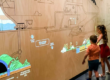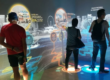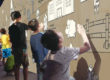

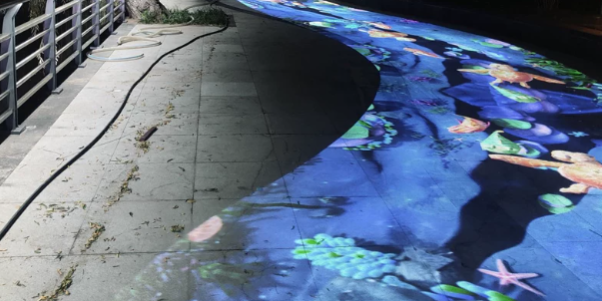
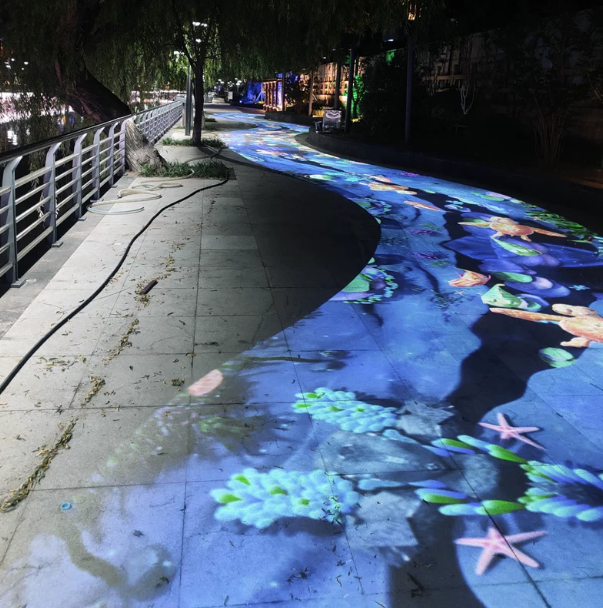
Interactive projection has become increasingly popular in museums, science centers, shopping malls, and immersive entertainment venues. However, many installations still rely on familiar effects: stepping on virtual fish, collecting digital coins, or triggering water ripples.
While these experiences attract initial attention, their interaction patterns often become predictable.
What if interactive projection could do more than simply react to touch? What if it could create a living digital environment that evolves with human behavior?
By combining TouchDesigner with CPJROBOT PoE LiDAR, creative developers can move beyond basic trigger-based interactions to design responsive ecosystems, sound-reactive installations, and collaborative digital experiences.
This article explores how LiDAR interactive projection, GPU particle systems, GLSL shaders, and real-time tracking can transform ordinary floors and walls into sophisticated immersive environments.
1. Why Traditional Interactive Projection Experiences Feel Repetitive
Many conventional interactive projection systems follow a simple interaction model:
Visitor Movement → Touch Detection → Predefined Animation
For example, when someone steps on a projected fish, the fish disappears. When a visitor touches a virtual flower, it blooms.
Although effective for simple entertainment, these interactions have several limitations.
Limited Interaction Depth
Each action produces a fixed response, leaving little opportunity for exploration or discovery.
Lack of Environmental Continuity
Effects often disappear immediately after activation, preventing visitors from influencing the environment over time.
Minimal Multi-User Collaboration
Many interactive games treat participants as independent users rather than allowing their actions to influence one shared environment.
Repetitive Visual Content
Similar water ripples, footprints, and particle bursts appear across different venues, making installations difficult to differentiate.
To create memorable experiences, designers need to shift from isolated touch events toward continuous, behavior-driven interaction.
This is where TouchDesigner and LiDAR sensing provide valuable creative possibilities.
2. How CPJROBOT PoE LiDAR Enables Creative Interactive Projection
CPJROBOT PoE LiDAR sensors can provide position and interaction data for projected floors and walls.
Unlike conventional physical touchscreens, LiDAR-based installations use laser distance measurements to detect objects intersecting designated scanning zones.
When paired with appropriate processing software, the detected positions can control interactive content in TouchDesigner.
A typical system includes:
- CPJROBOT PoE LiDAR: Detects position and interaction within configured sensing areas.
- Data Processing Software: Converts sensor measurements into usable tracking coordinates.
- OSC/UDP or Compatible Interface: Transfers processed interaction data.
- TouchDesigner: Generates real-time graphics, animations, and audio-visual responses.
- Projection System: Displays digital content across physical surfaces.
CPJROBOT offers different PoE LiDAR configurations, including the F1 270° and M1 360° scanning models.
Depending on the project, developers can deploy sensors for interactive walls, floor projection, or larger multi-zone installations.
The key advantage is that LiDAR tracking supplies physical interaction data, while TouchDesigner defines what those interactions mean.
Rather than assigning one animation to each touch, developers can use position, movement, duration, and multiple-user activity to create more complex behaviors.
3. Creative Concept One: Sound-Reactive Interactive Walls
Imagine a museum wall covered with thousands of floating digital particles.
When a visitor touches the projected surface, a musical note plays and colorful sound waves spread outward.
Touching different areas produces different frequencies, while multiple visitors create overlapping visual and musical patterns.
This concept transforms an interactive wall into a collaborative digital musical instrument.
How It Works
CPJROBOT PoE LiDAR detects interaction coordinates along the projected wall.
These coordinates are processed and transmitted to TouchDesigner, where they can control sound generation and visual effects.
For example:
- Horizontal touch position controls musical pitch.
- Vertical position selects sound characteristics.
- Movement speed influences particle motion.
- Repeated touches generate rhythmic patterns.
- Multiple touch points produce layered sound effects.
TouchDesigner can use CHOP-based audio processing and GLSL shaders to connect sound characteristics with dynamic visual content.
Using GLSL for Sound Wave Visualization
GLSL shaders can generate animated wave patterns that respond to interaction coordinates.
Each touch can become the center of a circular wave, with parameters controlling wave speed, color, amplitude, and decay.
Developers can also integrate audio analysis to synchronize visual effects with real-time frequency and intensity changes.
Recommended Applications
Science Museums: Demonstrate sound propagation, frequency, and resonance through interactive visualizations.
Children’s Learning Centers: Create musical walls that encourage experimentation and collaboration.
Digital Art Galleries: Allow visitors to compose audiovisual experiences through movement.
Instead of simply triggering animations, visitors participate in creating continuously changing digital artwork.
4. Creative Concept Two: A Living Digital Ecosystem
One of the most interesting applications of TouchDesigner LiDAR integration is the creation of simulated digital ecosystems.
Imagine an interactive floor displaying a virtual forest, underwater environment, or futuristic biological world.
Digital organisms move naturally across the surface, responding to the presence and behavior of visitors.
Rather than immediately disappearing when touched, these organisms react according to programmed environmental rules.
From Touch Detection to Environmental Behavior
CPJROBOT PoE LiDAR detects positions within the interaction area.
TouchDesigner can use those positions to influence environmental parameters such as:
- Virtual creature movement
- Plant growth and transformation
- Particle attraction and repulsion
- Environmental color and lighting
- Simulated ecosystem activity
For example, when a visitor enters a projected forest, nearby digital plants may gradually illuminate.
When several visitors gather together, virtual organisms may move toward or away from the group.
If participants remain still, the environment could transition into a calmer state.
These responses are generated by the interactive software rather than by LiDAR hardware itself.
Using Particle Systems and GPU Instancing
TouchDesigner supports hardware instancing, allowing developers to render multiple instances of geometry using shared source objects.
By controlling instance positions, scales, colors, and movement, developers can build environments containing large numbers of simulated objects.
GLSL-based processing can further support behaviors such as:
Attraction: Digital particles move toward detected interaction points.
Repulsion: Virtual organisms move away from approaching visitors.
Flocking: Simulated creatures exhibit coordinated group movement.
Growth: Digital plants respond gradually to nearby activity.
Environmental Memory: Previous interactions influence how the virtual environment develops.
Actual visual complexity and performance depend on the GPU, rendering resolution, and software implementation.
Why This Experience Is Different
A traditional interactive floor responds to individual actions.
A digital ecosystem responds to relationships between people, movement, and the simulated environment.
The experience becomes less predictable and more exploratory, encouraging visitors to discover how their behavior changes the digital world.
5. Creative Concept Three: Collaborative Particle Art Walls
Interactive art installations can also move beyond conventional digital painting.
Using CPJROBOT PoE LiDAR and TouchDesigner, developers can create particle-based walls that respond to multiple visitors simultaneously.
Imagine a large projection wall filled with flowing light particles.
When someone touches the wall, nearby particles begin to gather around the interaction point.
As the visitor moves their hand, the particles form a luminous trail.
When another visitor interacts with a different region, the two particle streams gradually connect.
The result is a collaborative artwork that evolves through human participation.
Technical Implementation
The system can follow this workflow:
LiDAR Tracking → Coordinate Mapping → TouchDesigner Particle Control → GPU Rendering → Projection Output
Developers can use:
- OSC In CHOP: Receive compatible tracking coordinates.
- Filter CHOP: Smooth detected movement.
- Math CHOP: Convert physical coordinates into projection coordinates.
- Geometry COMP Instancing: Render repeated visual objects.
- GLSL Shaders: Generate customized particle behavior.
- Feedback TOP: Create persistent light trails and visual memory.
Creating Visual Persistence
Traditional projection effects often disappear immediately.
With feedback-based rendering, visual information can remain on screen and gradually fade.
Developers can create digital artworks where earlier interactions influence later ones.
For example, visitor movements could generate abstract patterns that slowly merge into a larger composition.
This makes the installation feel like a shared creative environment rather than a collection of independent touch effects.
6. Creative Concept Four: Interactive Storytelling Floors and Walls
Interactive projection can also be used to communicate stories instead of simply providing entertainment.
In museums and corporate exhibition halls, projected content often presents fixed animations or prerecorded videos.
TouchDesigner and CPJROBOT PoE LiDAR can introduce visitor-driven storytelling.
Example: An Interactive Ocean Exhibition
Imagine a large projected ocean ecosystem.
As visitors approach different zones, the environment reveals information about marine species.
Moving toward a coral reef activates educational content.
When multiple visitors gather, the system illustrates how different organisms interact within the ecosystem.
As people move between zones, the story changes according to their exploration.
Beyond Basic Touch Triggers
Developers can design interactions based on:
Position: Different regions activate different story elements.
Movement Direction: Walking toward or away from an area changes the visual narrative.
Interaction Duration: Remaining in a zone reveals additional information.
Multiple Participants: Group participation unlocks collaborative sequences.
Interaction History: Earlier actions influence later content.
For exhibition designers, these methods create opportunities to communicate information through exploration rather than passive viewing.
7. From Passive Triggers to Behavior-Driven Interaction
The most important change in creative interactive projection is not necessarily visual complexity.
It is the underlying interaction logic.
Traditional interactive projection primarily uses event-triggered responses.
More advanced experiences introduce continuous behavioral inputs and evolving system states.
Level 1: Event-Based Interaction
A visitor touches a location and activates an animation.
Examples include water ripples, virtual buttons, and disappearing objects.
Level 2: Continuous Interaction
The system follows movement and continuously adjusts visual content.
Examples include particle trails, moving light fields, and interactive drawing.
Level 3: Behavior-Driven Interaction
The system interprets movement patterns, interaction duration, and relationships between tracked objects.
Examples include digital organisms reacting to approaching visitors or virtual environments changing according to group movement.
Level 4: Persistent Interactive Environments
Visitor activity changes the environment over time.
Examples include collaborative digital gardens, evolving generative artwork, and simulated ecosystems.
These interaction levels are design approaches rather than hardware features.
CPJROBOT PoE LiDAR provides sensing input, while TouchDesigner and custom software determine how the interactive environment responds.
8. Technical Considerations for Advanced LiDAR Interactive Installations
Creative concepts require reliable technical implementation.
Coordinate Accuracy and Calibration
For interactive floor and wall projection, tracking coordinates must be aligned with projected content.
Incorrect calibration may cause visual effects to appear away from the visitor’s actual interaction point.
Multi-Point Tracking
Collaborative experiences require software capable of processing multiple simultaneous interaction points.
When using several LiDAR sensors, coordinate transformation and duplicate-detection handling are particularly important.
Stable Movement Data
Small position fluctuations may produce unwanted particle movement.
Filtering, threshold adjustment, and temporal smoothing can improve visual stability.
GPU Performance
Complex ecosystems and particle simulations can require substantial processing resources.
Developers should optimize instance counts, shader complexity, texture resolution, and rendering pipelines according to the available hardware.
Application-Specific Interaction Design
A wall-based musical experience requires different trigger conditions from a floor-based ecosystem.
Interaction zones and detection thresholds should be configured for the physical installation.
For example, conventional 2D LiDAR provides measurements within a scanning plane. It should not be assumed to recognize arbitrary three-dimensional hand gestures without additional sensing geometry or processing.
9. Where Can These Creative Projection Experiences Be Applied?
Museums and Science Centers
Develop sound visualization walls, interactive ecosystems, and visitor-driven educational exhibits.
Immersive Art Galleries
Create collaborative particle installations and generative digital environments that evolve through participation.
Children’s Entertainment Centers
Replace repetitive footstep games with imaginative interactive storytelling, digital nature experiences, and collaborative activities.
Corporate Showrooms
Transform product demonstrations and manufacturing process presentations into interactive visual experiences.
Commercial Spaces and Shopping Malls
Use large-scale projection environments to create distinctive brand experiences and encourage visitor engagement.
The creative possibilities depend on the combination of sensing technology, software design, visual content, and interaction logic.
10. Frequently Asked Questions
Can CPJROBOT PoE LiDAR integrate with TouchDesigner?
Yes. CPJROBOT PoE LiDAR can provide tracking data for TouchDesigner-based applications through compatible SDK, TUIO, or middleware interfaces. The exact integration method depends on the selected sensor and software configuration.
Can TouchDesigner create sound-reactive interactive walls?
Yes. TouchDesigner can combine tracking coordinates, audio processing, and GLSL-based graphics to create musical interactions and dynamic sound wave visualizations.
Can PoE LiDAR support multiple users interacting together?
Multi-user interaction is possible with suitable LiDAR sensing, tracking algorithms, and application software. The supported number of interaction points depends on system configuration.
What makes a digital ecosystem different from traditional floor games?
A digital ecosystem uses continuous movement and behavior-based rules to influence a simulated environment. Unlike simple trigger effects, its visual state can evolve according to visitor activity.
Is GLSL necessary for interactive projection?
No. Many interactive effects can be created using TouchDesigner’s standard operators. GLSL becomes especially useful when developers need customized GPU-based simulations and visual processing.
11. Conclusion: Redefining Interactive Projection with CPJROBOT PoE LiDAR
The future of interactive projection is not simply about creating more colorful animations.
It is about designing environments that respond meaningfully to human behavior.
By combining CPJROBOT PoE LiDAR with TouchDesigner, developers can move beyond conventional interactive floor games and create sound-reactive walls, collaborative particle installations, digital ecosystems, and immersive storytelling experiences.
From responsive tracking to advanced GPU particle effects, this combination offers creative flexibility for museums, exhibition halls, entertainment venues, and commercial installations.
Turn ordinary floors and walls into extraordinary interactive experiences.
Explore CPJROBOT PoE LiDAR solutions and contact our team to discuss customized interactive projection projects, TouchDesigner integration, and multi-sensor deployment.