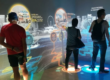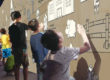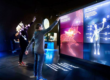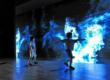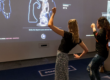

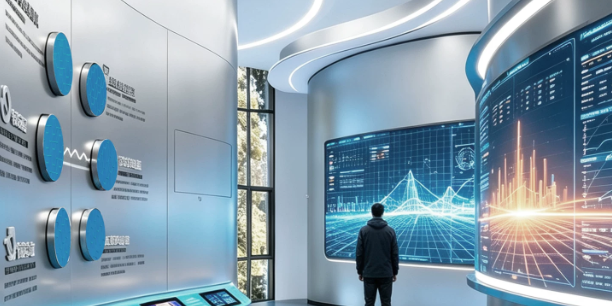
A corporate showroom floor can make a company’s capabilities visible at a scale visitors can walk through. Supply routes can connect beneath their feet, an energy network can respond to their choices, and a product launch can build toward a shared reveal.
Corporate showroom interactive floor projection uses visitor position and movement to influence digital content displayed on the floor. LiDAR supplies spatial measurements; sensing software and the content application determine how the experience responds.
The creative opportunity is to make movement explain something about the brand. Below are five concepts for corporate exhibition halls, experience centers, trade show booths, and launch events. These are proposed applications, not claims about completed customer projects.
1. Global Map Interaction: Follow a Product’s Journey
A floor map can show how a company’s international operations connect to deliver a product.
Instead of opening a separate information card for each country, the experience follows a journey. A visitor starts at a projected research center, then activates manufacturing, distribution, and service locations. Animated routes connect the selected stages across the floor.
An automotive supplier could use this format to explain how engineering, component production, and customer support work across regions. A technology company could illustrate how its infrastructure connects distributed operations.
Make the Route the Main Interaction
Use clearly marked starting points and broad destination zones. When a visitor enters a destination, the application draws the next connection and reveals a short explanation beside the route.
Allow several routes to remain visible where the software supports concurrent interaction. Different colors or line styles can help visitors distinguish them.
Content detail that builds trust: Label company-owned facilities, partners, and illustrative destinations differently. Show whether the route represents an actual supply chain or a simplified explanation.
2. Product Application Scenarios: Let Visitors Change Operating Conditions
Some products are easier to understand through their behavior in a system than through an isolated model.
A projected floor can present an application environment in which visitors select conditions and observe an explanation of the product’s role.
For a renewable energy company, the floor could represent a small energy network containing solar generation, battery storage, buildings, and charging points. Visitors activate scenario zones such as “daytime generation” or “evening demand.” Animated flows then illustrate how the system is intended to operate.
Other possibilities include:
- An automotive display comparing the functions involved in different driving situations.
- An industrial controls exhibit showing how equipment responds to changing production requirements.
- A technology showroom visualizing how data moves between devices, local computing, and cloud services.
Distinguish Explanation from Simulation
A scripted animation can communicate a principle, but it does not automatically constitute an engineering simulation.
If the display shows calculated results, identify the assumptions and data source. If it is illustrative, label it accordingly. Avoid implying that visitor movement directly demonstrates verified product performance.
Creative focus: Let the visitor change one meaningful condition at a time so the resulting behavior remains understandable.
3. Footstep-Triggered Brand Animation: Build a Visual Identity Through Movement
A responsive entrance floor can introduce the brand before the formal presentation begins.
Detected positions could generate graphic elements drawn from the company’s design language: circuit traces, material patterns, connecting nodes, or lines that gradually assemble into a product silhouette.
For example, a communications company could create temporary network connections between active areas. A materials manufacturer could reveal an enlarged surface texture wherever visitors enter the projection.
Give the Animation a Clear Visual Rule
Choose a consistent relationship between movement and response:
- Entering an area adds a graphic element.
- Moving through the space extends a trail.
- Remaining in a marked zone completes a short visual sequence.
- Leaving allows the effect to fade and the composition to reset.
Keep the logo or central message readable when several people participate. Limit the lifetime and density of effects so repeated activity does not obscure the design.
Technical distinction: A low 2D LiDAR scan plane detects objects intersecting it, potentially including shoes, lower legs, wheels, or walking aids. It does not measure foot pressure or inherently identify an exact footfall. Design “footstep” effects around the position information the installed system can reliably provide.
4. Campus and Production Displays: Reveal How Operations Connect
A floor-scale diagram can turn a factory or corporate campus into an explorable operational model.
For an industrial enterprise, the display could show receiving, processing, assembly, inspection, and dispatch. Visitors activate a process mode to see material movement, then switch to another layer showing quality checks or supporting utilities.
This is particularly useful when the real facility is too large, distant, or operationally restricted for a complete visitor tour.
Use Layers to Avoid Visual Overload
Start with a simple plan showing major areas. Add one information layer at a time:
| Selected layer | What the floor reveals |
|---|---|
| Material movement | Routes between receiving, production, and dispatch |
| Quality control | Inspection points and review stages |
| Utilities | Simplified energy or water connections |
| Logistics | Storage areas and internal transport routes |
| Planned expansion | Clearly identified proposed additions |
Keep explanatory text in designated viewing areas rather than underneath the busiest walking paths.
Operational detail: Label the drawing’s date and distinguish existing assets from proposed facilities. A showroom model should not imply that a planned production line is already operating.
5. Trade Shows and Product Launches: Create a Controlled Shared Reveal
Temporary events need an interaction that is easy to understand from the edge of the booth and quick to reset.
One concept is a collective product reveal. Participants enter several marked zones, each activating a feature theme. As the zones become active, the floor composition builds toward a product outline or launch graphic.
A second option is a short “choose your application” experience. Visitors stand in a sector representing their industry, and the display presents a relevant product use case.
Separate Visitor Participation from the Event Cue
For a scheduled launch, the host should retain control over the final reveal. Visitor activity can build anticipation, while an operator authorizes the transition at the correct moment.
For an open booth, avoid requiring every zone to be occupied. Provide a version that works with one participant and becomes richer as others join.
The content should also handle people arriving or leaving mid-sequence without becoming stuck.
Event priority: Include a manual start, reset, and fallback playback mode. These controls help staff keep the demonstration running when crowd conditions change.
Designing Against False Triggers
False-trigger design begins with deciding which movement should count as participation.
Separate Circulation from Interaction
Mark the active area visually and exclude nearby aisles in software. Someone walking past the booth should not repeatedly restart the experience.
A decorative projection can extend beyond the sensing area, provided visitors can still understand where interaction is available.
Use Different Rules for Different Actions
A trail animation can respond immediately. Selecting a scenario or initiating a reveal may benefit from a brief dwell requirement.
After activation, use an appropriate cooldown or require the visitor to leave the zone before triggering it again. This prevents a stationary object from repeatedly firing the same event.
These behaviors must be implemented or configured in the relevant software; they are not guaranteed sensor functions.
Test the Exhibition Environment
Test with the actual flooring, furniture, lighting, and likely visitor density. Reflective finishes, direct sunlight, obstructions, and equipment movement can affect the installation.
CPJROBOT’s installation guidance identifies reflective surfaces and sunlight as potential causes of interference and unintended triggering. CPJROBOT installation guidance
Accept a Range of Visitors and Objects
Include wheelchairs, walking aids, different footwear, and bags in the trial. Avoid an interaction that only works when everyone places a foot precisely on a small target.
For important selections, provide generous zones and a clear indication that the action has been accepted.
Supporting Large Interactive Floor Areas
Large-area interaction requires coordination between projection coverage and sensing coverage.
Several projectors may create one continuous image, while multiple LiDAR viewpoints may be needed to detect activity reliably across an occupied space. Where sensor coverage overlaps, the software must align coordinates and manage duplicate detections.
A 360° scanning angle does not mean unlimited floor coverage, and a maximum ranging specification is not a guaranteed interactive area. Usable coverage depends on mounting, obstructions, target characteristics, and software behavior.
Before expanding a design, ask the integrator to demonstrate:
- Continuous interaction across zone boundaries.
- Behavior when visitors block one sensor’s view.
- Stable effects at the intended participant density.
- Correct handling of overlapping detections.
This makes large-area support a demonstrated system capability rather than a headline promise.
Recommended LiDAR Options: CPJROBOT M1 and F1
CPJROBOT is a LiDAR manufacturer offering PoE interactive sensors and supporting software. Its M1 and F1 models are worth evaluating for branded floor installations. CPJROBOT lists M1 with 360° scanning and F1 with 270° scanning. CPJROBOT product overview
CPJROBOT M1
Consider M1 when the proposed mounting arrangement benefits from scanning around the sensor. Its PoE connection combines power and data through suitable Ethernet infrastructure.
The full scanning angle can provide layout flexibility, but the final position must still preserve useful sightlines. Explore CPJROBOT M1
CPJROBOT F1
Consider F1 when its 270° field of view fits the intended interaction area, including layouts evaluated from a perimeter mounting position.
Account explicitly for the unscanned sector, and confirm that it does not remove required coverage. Choose between F1 and M1 using the current specifications and an occupied-space test, rather than scan angle alone. Explore CPJROBOT F1
Free Testing Software
CPJROBOT provides free testing software for evaluating its interactive LiDAR hardware. LiDAR Touch is supplied free with its PoE interactive sensors, and the download center provides test content and SDK resources for M1 and F1. Confirm the software version appropriate to the selected hardware. CPJROBOT software information, Download Center
These resources help assess detection and integration. Brand animations, application scenarios, and event sequences require suitable content development.
Turn the Brand Message into a Physical Experience
Choose a floor concept according to what the company needs visitors to understand: global connections, product behavior, visual identity, operational capability, or a new product introduction.
Then prototype the smallest version that communicates that message clearly. A successful response should be visible, understandable, and relevant to the brand.
Share your floor layout, preferred concept, and expected visitor flow with CPJROBOT. Request an M1 or F1 recommendation and use the manufacturer’s free testing software to evaluate the sensing arrangement before producing the complete experience.
Explore CPJROBOT LiDAR solutions · Access free testing software