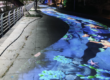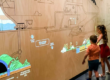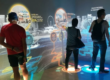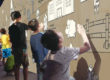

Imagine walking across a 100-square-meter digital floor where colorful particles follow every step, or touching a giant projection wall to activate interactive content without using physical controllers.
With TouchDesigner and CPJROBOT PoE LiDAR, these immersive experiences can be created through real-time position tracking, interactive projection mapping, and multi-sensor integration.
For museums, science centers, commercial exhibitions, and entertainment venues, combining multiple LiDAR sensors with TouchDesigner provides a flexible approach to building large-scale interactive environments.
This guide explores how TouchDesigner LiDAR integration works, including OSC/UDP communication, multi-LiDAR calibration, background filtering, tracking optimization, and practical deployment.
1. Why Use LiDAR for Large-Scale Interactive Projection?
Traditional interactive projection systems often use infrared touch frames, cameras, or depth sensors to detect human movement.
However, large installations introduce several challenges:
- Lighting conditions: Camera-based detection may be affected by changing illumination, shadows, and projected content.
- Limited coverage: Some sensors have restricted detection ranges or fields of view.
- Installation complexity: Large infrared frames can be difficult to install around irregular surfaces.
- Multiple participants: Tracking many visitors simultaneously requires effective detection and data processing.
LiDAR offers an alternative by measuring distances using laser-based ranging technology.
Unlike conventional cameras, 2D LiDAR does not depend on recognizing visible images. Instead, it detects objects intersecting its scanning plane.
By deploying multiple CPJROBOT PoE LiDAR sensors, system integrators can create interactive tracking zones across large floors and walls.
This approach supports applications such as interactive footsteps, digital water ripples, motion-triggered animations, and touch-controlled exhibition content.
2. How CPJROBOT PoE LiDAR Integrates with TouchDesigner
TouchDesigner is a real-time visual programming platform widely used for interactive installations, projection mapping, and generative digital art.
When combined with CPJROBOT PoE LiDAR, it can transform physical movement into responsive visual effects.
System Architecture
A typical interactive projection system follows this workflow:
CPJROBOT PoE LiDAR → Data Processing → OSC/UDP Communication → TouchDesigner → Projection Output
Each component performs a specific function:
- LiDAR Detection: Sensors identify objects or interaction points within their scanning areas.
- Data Processing: Software filters measurements and converts sensor data into usable coordinates.
- Network Communication: Processed coordinates are transmitted through a compatible interface.
- TouchDesigner Processing: Tracking data controls interactive content, animations, and visual effects.
- Projection Output: Projectors display responsive graphics on floors, walls, or other surfaces.
CPJROBOT PoE LiDAR models support Ethernet connectivity and Power over Ethernet, simplifying installation by delivering power and network connectivity through compatible Ethernet infrastructure.
For example, the CPJROBOT F1 PoE LiDAR offers a 270° scanning field, while the M1 PoE LiDAR provides 360° scanning coverage.
These options allow engineers to select suitable detection configurations for different installation environments.
3. Sending LiDAR Tracking Data to TouchDesigner via OSC/UDP
Efficient data communication is essential for responsive interactive experiences.
TouchDesigner supports OSC (Open Sound Control) and UDP communication, making it possible to receive tracking information from external systems.
How OSC/UDP Communication Works
LiDAR sensors collect distance and angle measurements. Processing software converts these measurements into position coordinates.
The processed data can then be transmitted to TouchDesigner through OSC/UDP messages.
Depending on the application, information may include:
- X and Y coordinates
- Object or touch identification
- Tracking status
- Interaction events
- Timestamps
TouchDesigner can receive and process this information using several operators.
OSC In CHOP: Receives OSC messages as numerical channels.
OSC In DAT: Receives structured OSC messages for data processing.
Math CHOP: Converts coordinates into the required interaction range.
Filter CHOP: Smooths position changes and reduces tracking jitter.
Logic CHOP: Processes activation thresholds and interaction triggers.
For CPJROBOT PoE LiDAR integration, developers should confirm the supported SDK or TUIO interface and use compatible middleware when OSC/UDP conversion is required.
A well-designed communication workflow reduces unnecessary data processing and helps maintain responsive interaction.
4. Multi-LiDAR Calibration for Large Interactive Spaces
A single LiDAR sensor may be sufficient for smaller installations. However, a 100-square-meter interactive floor or an extended exhibition wall may require multiple sensors.
One major challenge is multi-LiDAR coordinate calibration.
Understanding Coordinate Systems
Each LiDAR sensor measures objects relative to its own installation position.
When multiple sensors operate together, their measurements must be transformed into a shared coordinate system.
Otherwise, the same visitor may appear at different positions in the interactive environment.
Multi-Sensor Calibration Process
Step 1: Define the Interaction Area
Establish the physical dimensions of the installation and create a global coordinate system.
Step 2: Position the LiDAR Sensors
Install sensors according to their effective detection ranges, scanning angles, and surrounding obstacles.
Step 3: Perform Coordinate Calibration
Measure known reference points and calculate the rotation and translation required to align each sensor’s data.
Step 4: Combine Tracking Data
Transform all valid detections into the same coordinate system.
Step 5: Validate Tracking Continuity
Test how visitors move between sensing zones and adjust calibration parameters to reduce tracking errors.
Avoiding Duplicate Detection
When two sensors detect the same person in overlapping areas, the system may generate duplicate tracking points.
Sensor-fusion algorithms can compare positions, movement history, and timestamps to determine whether detections belong to the same object.
With proper calibration and tracking software, multiple LiDAR sensors can work together as one interactive detection system.
The required sensor quantity depends on the project’s geometry, scanning range, installation conditions, and tracking requirements.
5. Background Filtering and Jitter Reduction in TouchDesigner
Reliable interaction requires more than accurate coordinate mapping.
In large exhibition spaces, static objects, measurement fluctuations, and temporary obstructions can generate unwanted detection events.
To maintain stable performance, developers should implement background filtering and tracking optimization.
Background Filtering
Static structures such as walls, columns, and furniture should be excluded from the interaction area.
Common filtering techniques include:
- Static background subtraction
- Distance threshold filtering
- Detection-zone masking
- Minimum object-size thresholds
- Temporal validation
These methods help distinguish valid user interactions from environmental noise.
Using TOPs and CHOPs
TouchDesigner provides two useful operator families for interactive tracking.
CHOPs process numerical information such as coordinates, velocity, and trigger states.
TOPs process image-based information, making them suitable for occupancy maps, visual masks, and GPU-based effects.
For example, LiDAR point data can be converted into a two-dimensional occupancy map.
Developers can then use TOP-based processing to identify occupied regions and generate interactive effects.
Reducing Tracking Jitter
Small measurement variations may cause projected objects to shake or move unexpectedly.
TouchDesigner’s Filter CHOP can smooth coordinate changes, while Logic CHOP can help manage trigger thresholds.
Additional techniques include deadband filtering, hysteresis, and motion prediction.
The goal is to balance stable tracking with fast response.
Excessive filtering can introduce noticeable delay, so parameters should be adjusted according to the application.
6. Creating Interactive Floor and Wall Effects
Once tracking coordinates are available in TouchDesigner, developers can connect physical movement with a wide range of visual effects.
Interactive Floor Projection
CPJROBOT PoE LiDAR can provide detection data for floor-based experiences, including:
- Interactive water ripples
- Digital footsteps and glowing trails
- Motion-responsive particle effects
- Virtual flower gardens
- Multiplayer floor games
For example, when a visitor walks across a projected floor, TouchDesigner can generate particles at the detected movement positions.
Using Feedback TOP and related visual operators, developers can create persistent trails that gradually disappear.
The result is an immersive environment where visitors influence the digital content through natural movement.
Interactive Wall Projection
For wall installations, LiDAR detection can be mapped to projected content.
Visitors can interact with:
- Educational displays
- Digital storytelling walls
- Interactive product presentations
- Virtual buttons and menus
- Projection-based drawing experiences
In science museums and corporate showrooms, this technology can transform ordinary walls into interactive information displays.
7. Optimizing Performance for 100 m² Interactive Installations
Large-scale interactive projection requires efficient coordination between sensors, networking, tracking software, and graphics rendering.
Reduce Unnecessary Data Transmission
Sending every raw LiDAR measurement to TouchDesigner is not always necessary.
For many installations, processed tracking coordinates and interaction events provide enough information to control the visuals.
Optimize Network Infrastructure
Use compatible PoE switches with sufficient power capacity and bandwidth.
For multi-sensor systems, timestamp synchronization and appropriate buffering can improve data consistency.
Improve TouchDesigner Rendering Performance
Complex particles, visual feedback, and high-resolution projection textures can increase GPU workload.
Developers can improve performance by using lower-resolution tracking textures, GPU-accelerated processing, efficient operator networks, and performance monitoring.
Minimize End-to-End Latency
Interaction delay includes sensor scanning, data processing, network transmission, rendering, and projector display time.
Optimizing only one stage does not guarantee responsive interaction.
Engineers should test the complete system under realistic operating conditions, including simultaneous visitors.
8. Applications of CPJROBOT PoE LiDAR Interactive Projection
Combining CPJROBOT PoE LiDAR with TouchDesigner creates opportunities across several industries.
Science Museums: Interactive learning environments, digital storytelling, and educational projection walls.
Immersive Exhibitions: Motion-responsive digital installations and large-scale projection mapping.
Indoor Playgrounds: Interactive floor games and multiplayer entertainment.
Corporate Showrooms: Touch-enabled product presentations and manufacturing process demonstrations.
Shopping Malls: Interactive advertising, digital footprints, and visitor engagement experiences.
The same sensing architecture can support different content types, allowing developers to create customized experiences for each venue.
9. Frequently Asked Questions
Can CPJROBOT PoE LiDAR work with TouchDesigner?
Yes. CPJROBOT PoE LiDAR can be integrated into a TouchDesigner-based interactive system using a compatible SDK, TUIO interface, or middleware that converts tracking data into OSC/UDP messages.
How many LiDAR sensors are required for a 100 m² floor?
The number depends on detection range, sensor positioning, scanning geometry, obstacles, and tracking requirements. A site-specific coverage assessment is recommended.
Can multiple visitors interact simultaneously?
Yes. Multi-user interaction is possible with appropriate sensors and tracking software. Actual capacity depends on the selected hardware, detection algorithms, and installation conditions.
How can false touches be reduced?
Background subtraction, detection-zone masking, distance thresholds, temporal filtering, and coordinate smoothing can help reduce unwanted triggers.
Can TouchDesigner create interactive particle and water effects?
Yes. TouchDesigner can use processed LiDAR coordinates to control particle systems, ripple animations, glowing trails, and other real-time visual effects.
Conclusion: Create Larger Interactive Spaces with CPJROBOT PoE LiDAR
Combining TouchDesigner with CPJROBOT PoE LiDAR provides a flexible technical approach to building interactive floors, projection walls, and large-scale immersive environments.
Through OSC/UDP communication, multi-LiDAR calibration, sensor fusion, and optimized tracking algorithms, developers can transform human movement into engaging digital experiences.
Whether you are designing an interactive museum, a commercial showroom, or a 100-square-meter immersive projection installation, CPJROBOT PoE LiDAR can serve as a key sensing component in your solution.
Looking for a LiDAR solution for your next interactive projection project?
Explore CPJROBOT PoE LiDAR sensors and contact our team to discuss your TouchDesigner integration, interactive floor, or wall projection requirements.