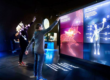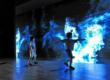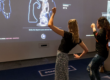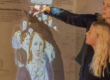

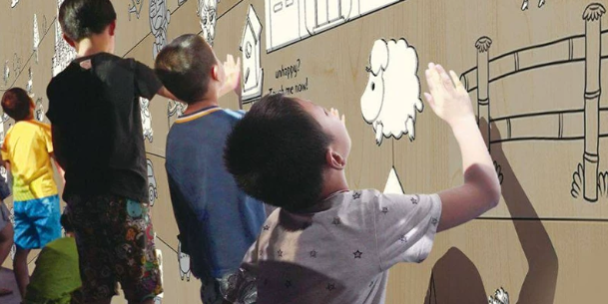
A corporate showroom wall can hold more than a company introduction. It can become a browsable archive, a product demonstration surface, or a shared workspace for a customer presentation.
LiDAR interactive wall projection connects detected positions and movements with projected content. Visitors can select information in designated areas, while presenters can navigate material according to the conversation.
The following seven applications show how this approach can support company exhibition halls, brand centers, and customer reception spaces. They are proposed design concepts, not documented customer installations.
1. Company History: Connect Milestones with Evidence
A company history wall often contains more information than visitors can absorb during a short tour. Interactive projection allows the display to present a concise timeline first, with supporting material available on demand.
Visitors could select a milestone to reveal:
- An early product drawing beside its modern equivalent.
- Photographs of a factory expansion.
- An interview explaining a technical breakthrough.
- A document marking entry into a new market.
A designated horizontal control area could support a hand sweep to move between periods. The application would interpret movement within that area as a navigation command.
Design priority: Keep the overall chronology visible while details open locally. This helps visitors understand where each development fits without losing their place.
Use verified dates and distinguish product launches, patent filings, and commercial deployments. These events may represent different stages of the same achievement.
2. Product and Technology Displays: Let Visitors Examine What Matters
An interactive product wall can make hidden mechanisms visible without requiring a physical cutaway of every product.
For example, a precision equipment manufacturer could display a digital assembly with selectable layers. Visitors choose the drive system, enclosure, or control module to see how each contributes to operation.
Possible controls include:
- Moving horizontally in a defined area to rotate a model.
- Selecting “Zoom” and adjusting an on-screen control.
- Activating an exploded view to separate components.
- Comparing two configurations side by side.
The application controls the 3D model; LiDAR supplies the input measurements. A 2D sensor can drive rotation or zoom through mapped controls, but it does not inherently recognize unrestricted three-dimensional hand gestures.
Design priority: Give each action a visible control and an obvious reset. A product specialist should be able to return the model to a standard view during a presentation.
Use approved technical models and label simplified animations where they omit details relevant to engineering interpretation.
3. Global Business Maps: Explore Capabilities by Region
A global business map can answer practical questions about where a company manufactures, develops products, delivers projects, or provides service.
Visitors might select a region and then filter its locations by function:
- Manufacturing facilities.
- Research and development centers.
- Sales offices.
- Service networks.
- Completed projects.
For a larger wall, several visitors could explore separate regions while a central view shows their selected connections. This requires software that supports simultaneous inputs and prevents one person’s selection from replacing another’s content.
Design priority: Distinguish the meaning of each location marker. A distributor, owned facility, and completed customer project should not appear as equivalent operations.
Include a “last updated” date and assign responsibility for maintaining the map. An attractive map becomes less useful when visitors cannot tell whether its information is current.
4. Corporate Culture: Turn Values into Decisions
A values wall becomes more informative when visitors can see how a principle affects an actual decision.
Instead of displaying only words such as “quality” or “collaboration,” the wall can offer short scenarios. A visitor selects a response, then sees an approved example of how the company addresses that situation.
For instance, a quality-focused scenario could ask what happens when an inspection identifies an unexpected result. The next screen could explain the review process and introduce the people responsible.
Another approach is a browsable collection of employee stories, organized by value, department, or location.
Design priority: Avoid presenting the activity as a test with an embarrassing wrong answer. Use the interaction to explain practices and encourage discussion.
Where the wall uses employee photographs or quotations, publish approved material and preserve the original context.
5. Customer Cases: Build a Relevant Portfolio During the Visit
A customer case wall can help a visiting team find examples related to its own interests.
Begin with filters such as industry, challenge, application, or project scale. Selecting a case opens a consistent structure:
Customer challenge → delivered scope → implementation → documented outcome
A presenter could place selected cases into a temporary comparison area, making it easier to discuss similarities and differences across projects.
This format is particularly useful when a company has a broad portfolio that would be difficult to cover in a fixed presentation.
Design priority: Separate demonstrated results from forecasts or customer goals. If a case includes a percentage improvement, state what was measured, the comparison basis, and the relevant period.
Use customer names, logos, and project details only where approved for display. When a project cannot be identified publicly, an anonymized case can still explain the technical challenge and delivered work accurately.
6. Data Visualization: Make Business Information Easier to Question
A data wall can let visitors move from a summary indicator to the information behind it.
Potential topics include production activity, energy use, service coverage, or project delivery. A visitor selects a chart to change the period, reveal a definition, or compare categories.
LiDAR provides the selection input. Live information requires a separate connection to the relevant data source, along with application logic for refreshes, access, and errors.
Design priority: Show the timestamp and status of the data. Clearly distinguish live feeds, periodically refreshed figures, and demonstration datasets.
If a connection fails, preserve the last valid display with an appropriate status message rather than silently presenting old information as live. Avoid allowing automatic chart changes to interrupt a presenter’s explanation.
7. Investor, Partner, and Sales Presentations: Adapt the Wall to the Meeting
A reception center may host prospective customers, distributors, investors, and recruitment groups. Each audience needs a different emphasis.
An interactive wall can provide an approved presentation library with selectable paths. A host chooses the session type, then opens relevant sections during the discussion.
For example:
- A distributor visit emphasizes product coverage and support resources.
- A customer meeting focuses on applications and delivery capability.
- A partnership discussion explores complementary technologies.
- An investor presentation uses approved corporate and operating information.
A defined gesture area could advance slides, while a presenter control opens detailed material or pauses visitor input.
Design priority: Separate presenter mode from open exploration. During a formal explanation, a passerby should not accidentally replace the current screen.
Keep a conventional control option available so the meeting can continue if gesture input is inconvenient.
Match the Interaction to the Wall’s Purpose
Different content benefits from different controls.
| Intended result | Suitable interaction approach | What must be validated |
|---|---|---|
| Browse a timeline | Directional movement in a marked control area | Reliable navigation without repeated page changes |
| Reveal nearby information | Entry into a defined approach zone | Correct detection geometry and exclusion of passersby |
| Explore a shared map | Independent selection regions | Concurrent input and local content control |
| Inspect a 3D product | Mapped rotation, zoom, and exploded-view controls | Clear mode changes and predictable model behavior |
| Lead a presentation | Presenter-controlled navigation | Input locking, manual control, and quick recovery |
A near-wall selection plane and an approach-detection zone are different sensing arrangements. Do not assume one sensor position will provide both. The layout should follow the intended actions.
CPJROBOT M1 and T1: LiDAR Options for Interactive Walls
CPJROBOT is a LiDAR manufacturer supplying interactive sensors and supporting software resources. Its M1 and T1 models can be evaluated for corporate interactive wall projects according to the required geometry and integration workflow. CPJROBOT manufacturer website
CPJROBOT M1
The CPJROBOT M1 offers 360° scanning and Power over Ethernet. It is worth considering when combined power-and-data cabling and its scanning geometry suit the proposed wall installation.
CPJROBOT provides guidance covering interactive wall mounting and calibration. Use that documentation to develop a prototype with the planned selection areas and display dimensions. CPJROBOT M1, M1 installation guide
CPJROBOT T1
The CPJROBOT T1 is another candidate for projects that match its current specifications. A dedicated T1 Viewer and open SDK are available for inspecting sensor data and evaluating custom integration.
For a wall involving specialized product controls or presentation software, request a demonstration of the intended input workflow before final selection. CPJROBOT T1, CPJROBOT Download Center
Free Testing Software
CPJROBOT provides free testing software for evaluating its LiDAR hardware. Resources include LiDAR Touch for supported PoE sensors, test content, T1 Viewer, and SDK downloads for M1 and T1. Confirm the appropriate software package for the selected model. CPJROBOT software information, Testing software and SDKs
These tools support hardware testing and integration. Timeline interfaces, interactive maps, 3D product controls, and live-data connections require suitable content software; they should not be assumed to be included in a testing package.
Choose the First Application Around a Visitor Question
An effective corporate interactive wall answers something specific: how the business developed, how a product works, where support is available, or which completed project is relevant.
Choose the most useful question for your audience, prepare approved content, and prototype the interaction before expanding the wall’s functions.
Planning a corporate showroom, brand center, or customer reception space? Share your wall dimensions, preferred application, and interaction requirements with CPJROBOT. Evaluate M1 or T1 LiDAR sensors with the manufacturer’s free testing software to establish a practical foundation for the display.
Explore CPJROBOT LiDAR sensors · Access free testing resources