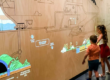

A visitor waves their hand in the air, and a menu opens. They pinch to zoom into a product model, then swipe left to rotate it. No screen. No buttons. No physical contact. This is not a concept — it is what LiDAR-powered gesture recognition delivers today, and it is reshaping how people interact with digital content in public spaces, museums, retail, and beyond.
1. Why Gesture Recognition Needs LiDAR
Camera-based gesture systems struggle with ambient light, require line-of-sight, and capture video — raising privacy concerns. Infrared solutions degrade under sunlight and have limited range. LiDAR takes a fundamentally different approach:
- Time-of-Flight (TOF) ranging measures absolute distance to every point in the detection field — independent of lighting conditions.
- No camera, no video. LiDAR captures spatial data only — complete privacy protection, critical for public deployments.
- 30 FPS with millimeter accuracy. Fast enough to track rapid hand motions; precise enough to distinguish a pinch from a point.
The POELIDAR-F1 scans its 270° field at up to 30 frames per second. Each frame contains precise distance, angle, and velocity data for every detected object — the raw material that AI models turn into recognized gestures.
2. How AI Turns LiDAR Data Into Recognized Gestures
Raw LiDAR data is a stream of 2D point coordinates over time. Transforming this into “the user just swiped left” or “two fingers are pinching” requires a multi-stage AI pipeline:
| Stage | What Happens |
|---|---|
| Feature Extraction | Distance, velocity (Doppler), azimuth, and elevation are extracted per frame. Fast Fourier Transform (FFT) converts raw signals into Range-Doppler images capturing motion signatures. |
| Temporal Modeling | CNN + LSTM hybrid networks process frame sequences, learning inter-frame correlations. A swipe is not one frame — it’s a pattern across 15–30 consecutive frames. |
| Classification | Multi-layer classifiers label gestures — swipe, wave, push, rotate, zoom, pinch, hover, tap — with >96% accuracy and sub-100ms latency. |
| Attention Filtering | Attention mechanisms prioritize relevant motion patterns and filter background noise, ensuring reliable recognition even in crowded environments. |
Key insight: The same POELIDAR-F1 sensor that powers gesture recognition also handles surface touch detection. One device. Two interaction modes. Zero additional hardware.
3. Touchless Interaction: From Convenience to Necessity
The shift toward touchless public interfaces was accelerated by the pandemic, but it has outlasted it — because the benefits go far beyond hygiene:
3.1 Public Health & Safety
Interactive kiosks, museum exhibits, and retail displays are high-touch surfaces. A single screen can be touched by hundreds of people daily. LiDAR touchless interaction eliminates this vector entirely — users gesture in the air, and the system responds. No shared surfaces. No cross-contamination risk.
3.2 Accessibility
Touchless gestures lower the barrier for users with mobility limitations, those in wheelchairs, or children who cannot reach a mounted screen. A wave or hover gesture works from a distance — no need to physically reach the display.
3.3 Durability in High-Traffic Environments
Physical touchscreens wear out. Capacitive layers degrade. Screens get scratched. LiDAR sensors have no contact surface to maintain — the F1 is rated IP65 waterproof and dustproof, operating reliably from -20°C to 60°C, indoors or outdoors.
4. Hybrid Interaction: Mid-Air Gestures + Surface Touch, One Sensor
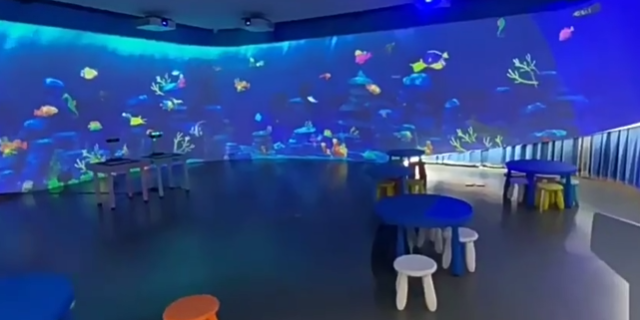
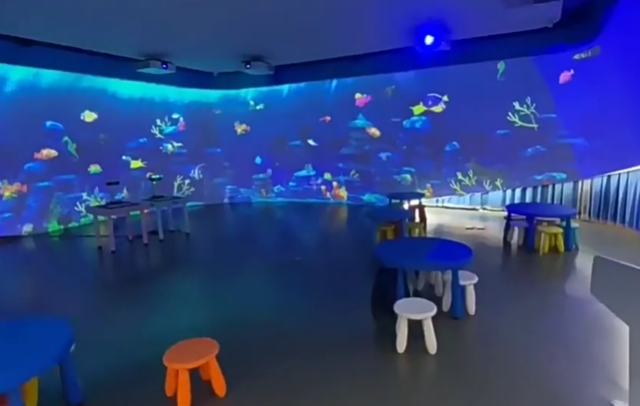
Most interactive installations today force a choice: either touch the wall or gesture in the air. But users naturally switch between modes — they point at something from a distance, then walk up and touch it directly.
The POELIDAR-F1 supports both modes simultaneously from the same sensor:
| Mode | Distance | Use Case |
|---|---|---|
| Surface Touch | 0 – 5 cm from surface | Precise selection, drawing, dragging objects on a projected wall or floor |
| Mid-Air Gesture | 10 cm – 2 m from sensor | Navigation, zoom, rotate, menu control — no surface contact needed |
| Hybrid Flow | Seamless transition | User gestures mid-air to browse a catalog, then touches the wall to select and drag an item |
The fusion software distinguishes between the two modes based on distance from the detection plane. A touch point within 5 cm of the surface triggers a “touch” event; a point further away is treated as a mid-air gesture. The transition is automatic and transparent to the user.
5. Real-World Applications
| Industry | Gesture Interaction Scenario |
|---|---|
| Museums & Exhibitions | Visitors wave to reveal hidden content, pinch-zoom into artifacts, swipe through timelines — all without touching glass cases or screens. |
| Retail & Showrooms | Shoppers browse virtual catalogs with mid-air swipes; product configurators respond to rotate and zoom gestures. |
| Education | Students interact with projected simulations using natural hand motions — dissecting a virtual frog or manipulating a 3D molecule with gestures. |
| Healthcare | Touchless check-in kiosks and wayfinding displays in hospitals reduce cross-contamination in sterile environments. |
| Entertainment | Gesture-controlled games, interactive art installations, and immersive theater experiences where the audience’s movements drive the narrative. |
6. Why POELIDAR-F1 for Gesture Recognition
| Feature | What It Means for Gesture Interaction |
|---|---|
| 30 FPS | Captures rapid hand motions without lag — critical for swipe, wave, and pinch gestures |
| TOF Ranging | Absolute distance measurement; unaffected by ambient light, surface color, or contrast |
| 270° Field of View | Covers large interaction zones — a single sensor tracks multiple users across a wide area |
| 256 Touch Points | Supports multi-user, multi-finger gesture scenarios simultaneously |
| POE Power + Data | Single Ethernet cable — simplifies installation, reduces cabling cost |
| TUIO / Windows Multi-Point | Plug-and-play compatibility with Unity, TouchDesigner, C++, Processing, and custom apps |
| IP65 Rated | Works outdoors, in dusty environments, and across extreme temperatures |
7. Frequently Asked Questions
Q: What gestures can the POELIDAR-F1 recognize?
A: The system recognizes swipe, wave, push, pull, rotate, zoom, pinch, hover, tap, and multi-finger combinations. Custom gestures can be trained using the provided SDK and deep learning pipeline.
Q: Can one LiDAR handle both gesture and touch at the same time?
A: Yes. The POELIDAR-F1 distinguishes between mid-air gestures and surface touch based on distance from the detection plane. Both modes operate simultaneously from a single sensor.
Q: Does LiDAR gesture recognition work in bright sunlight?
A: Yes. Unlike camera-based systems, TOF LiDAR uses laser ranging and is unaffected by ambient light — it works equally well in complete darkness and direct sunlight.
Q: Is user privacy protected?
A: Absolutely. LiDAR captures spatial point data only — no video, no images, no facial recognition. This makes it ideal for public spaces, schools, and healthcare environments where privacy is critical.
How to Scale LiDAR Touch Systems Across Large Venues
How LiDAR Sense Is Used in Autonomous Driving
LiDAR Sensor for Theme Parks: How Interactive LiDAR Technology Creates Immersive Visitor Experiences
Ground Interactive Projection: Advantages, Applications, and Why It Matters
Building Truly Immersive Spaces: What LiDAR Cascade Makes Possible