
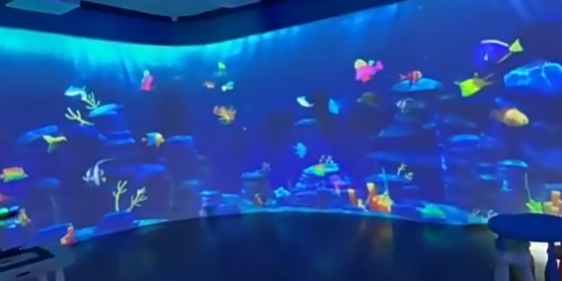
What is wall interactive projection?
Wall interactive projection combines a projected image with sensing and software so users can influence content by touching, pointing, gesturing, or moving near a wall. Depending on the design, the “wall” may be a painted surface, projection screen, scenic panel, or custom architectural feature.
Unlike a conventional video wall, the image is not confined to a grid of display panels. Unlike a touchscreen, the active area can be designed at architectural scale. However, the system still needs careful control of light, shadows, calibration, surface quality, and user position.
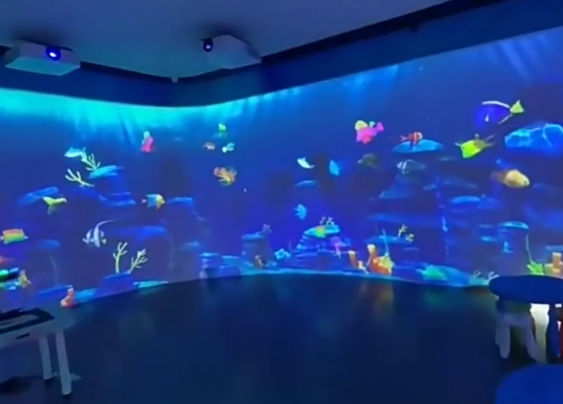
Core advantages of an interactive projection wall
- Large visual area: useful for group viewing and spatial storytelling.
- Flexible visual design: content can follow a brand environment or exhibit theme.
- Replaceable content: software content can be refreshed for new campaigns or exhibitions.
- Natural interaction: visitors can often understand touch or gesture prompts without formal training.
- Separation of sensitive hardware: projectors and sensors can often be mounted away from direct public contact.
These are potential advantages, not guarantees. A poorly lit surface, ambiguous interface, or inaccessible mounting position can undermine the experience.
Five settings suited to wall interactive projection
1. Corporate showrooms and digital exhibition halls
An interactive wall can present a company timeline, global operations map, product portfolio, manufacturing process, or sustainability data. It works best when the content is layered: a clear overview for casual visitors and deeper detail for guided presentations.
2. Museums and science centers
Visitors can explore archives, reconstruct artifacts, reveal hidden layers, or collaborate on a simulation. Curatorial accuracy and source attribution should be included in the content workflow, especially when the installation explains historical or scientific material.
3. Retail and brand experience spaces
Wall projection can support product browsing, color or style exploration, campaign games, and photo moments. The interaction should lead naturally toward the next commercial action—viewing a physical product, speaking to staff, scanning a code, or requesting information.
4. Education and training
Large interactive surfaces can support group quizzes, diagrams, language activities, and procedural training. Designers should consider reach height, viewing distance, font size, and whether simultaneous users are genuinely required.
5. Hotels, leisure venues, and waiting areas
Interactive art, local guides, children’s activities, or event content can make transitional spaces more engaging. In these locations, unattended operation and fast fault recovery are often critical.
Content design principles
Begin with a visible invitation such as “Touch to explore” or a short animated cue. Give feedback immediately after an action. Keep primary targets large enough for the expected viewing distance and interaction accuracy. Avoid placing essential controls beyond the reach of children or wheelchair users.
For multi-user walls, divide the canvas into independent zones or design interactions that tolerate overlapping input. Do not assume “more touch points” automatically creates a better experience; the content must know what to do with simultaneous actions.
What to confirm before installation
Projection and surface
Measure ambient light at operating times, not only during a site visit. Confirm image size, throw distance, projector mounting, surface flatness, color, reflectance, and whether people will cast shadows over important content.
Sensing and calibration
Define whether the project needs contact-like touch, mid-air gestures, or simple presence. Check sensing range, blind zones, edge behavior, occlusion, and recalibration requirements.
Operations
Specify automated startup and shutdown, ventilation, remote support, spare strategy, content updates, cleaning, and staff responsibilities. A commercial installation should have a documented acceptance test and a known “safe state” if a device disconnects.
Frequently asked questions
Can any wall become interactive?
Not automatically. The surface, lighting, geometry, mounting access, and sensing method must be compatible. Glossy, dark, uneven, or highly reflective walls may require treatment or a dedicated screen.
Is LiDAR always the best sensor for a wall?
No. LiDAR can be effective for defined interaction planes and larger areas, but the right choice depends on range, precision, occlusion, mounting, budget, and the type of input the software needs.
How is content updated?
It may be updated locally or through a managed content system, depending on security and network requirements. Define approval, version control, rollback, and offline behavior before launch.
Discuss a wall interaction concept with CPJROBOT
Send CPJROBOT the wall dimensions, site images, lighting conditions, mounting constraints, and desired interaction. The team can help determine what should be validated before hardware selection.