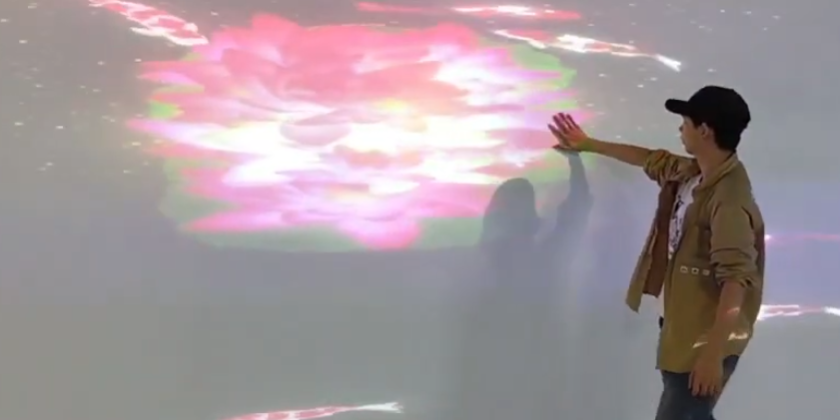
In interactive projection projects, the most frustrating issue is not calibration.
It’s this:
“Connection Failed.”
The LiDAR appears online for a few seconds…
then disconnects.
Or it keeps rebooting.
Or Unity / TouchDesigner cannot detect the sensor at all.
At CPJROBOT, we’ve seen this issue repeatedly in:
- immersive exhibition installations
- interactive floor projection systems
- digital museums
- wall interaction projects
- multi-LiDAR deployments
And surprisingly:
Most failures are NOT caused by the LiDAR itself.
They usually come from basic network and power mistakes during installation.
1. The Voltage Problem:
48V PoE Is NOT Optional
One of the most common installation mistakes is using old passive PoE switches.
Many installers assume:
“PoE is PoE.”
It isn’t.
The CPJROBOT POELIDAR-M1 requires:
- IEEE 802.3af standard PoE
- Recommended voltage: 48V–53V
If the switch provides:
- 24V passive PoE
- unstable voltage
- overloaded PoE budget
- poor-quality injectors
the LiDAR may:
- reboot repeatedly
- lose network packets
- disconnect randomly
- fail initialization
- disappear from software intermittently
This is extremely common in:
- projection mapping projects
- multi-radar interactive walls
- large immersive installations
- exhibition systems using unmanaged switches
Real Engineering Scenario
We once saw a museum project where:
- 6 LiDAR sensors
- mini PC
- projector controller
- network camera
were all connected to a small consumer PoE switch.
On paper:
“Enough ports.”
In reality:
The total power budget was insufficient.
Result:
- random disconnects
- unstable tracking
- delayed touch response
- frequent “Connection Failed” errors
The issue disappeared immediately after replacing the switch with an industrial 48V IEEE 802.3af PoE switch.
Professional Troubleshooting Tip
Even if voltage looks correct on paper:
Always check:
- total switch power budget
- per-port output stability
- cable length
- voltage drop
- switch temperature under load
Because in real projects:
Stable PoE power matters more than theoretical specifications.
Recommended Checklist Before Installation
Before deploying your PoE LiDAR system:
✅ Confirm IEEE 802.3af compatibility
✅ Use 48V–53V standard PoE
✅ Avoid passive 24V injectors
✅ Check total switch power budget
✅ Use high-quality CAT6 cables
✅ Avoid overloaded network chains
✅ Test single-device stability first
✅ Verify switch heat dissipation in enclosed cabinets
Why This Matters in Interactive Projection Projects
Interactive systems are extremely sensitive to:
- packet loss
- unstable latency
- micro power interruptions
Especially in:
- TouchDesigner projects
- Unity interactive walls
- Unreal Engine installations
- projection mapping environments
- museum interaction systems
A single unstable PoE port can cause:
- inaccurate touch positioning
- delayed interaction
- tracking drift
- sensor disconnects
- software crashes
This is why professional integrators treat:
Power stability = tracking stability.
Common Search Terms Engineers Use
This issue is often searched as:
- PoE LiDAR connection failed
- interactive projection LiDAR disconnecting
- LiDAR rebooting repeatedly
- PoE sensor unstable connection
- TouchDesigner LiDAR not detected
- Unity interactive wall sensor offline
- IEEE 802.3af vs passive PoE
- projection mapping LiDAR troubleshooting
FAQ
Why does the LiDAR appear online briefly then disconnect?
Usually caused by:
- insufficient PoE voltage
- overloaded switch power budget
- unstable passive PoE injectors
Can I use a 24V passive PoE switch?
No.
The POELIDAR-M1 is designed for IEEE 802.3af standard 48V PoE.
Using passive 24V may cause unstable operation or hardware damage.
Does cable quality affect LiDAR stability?
Yes.
Poor-quality or overly long Ethernet cables can cause:
- voltage drop
- packet loss
- unstable communication
Industrial-grade CAT6 cables are strongly recommended.
Why do problems appear only in multi-LiDAR projects?
Because total power consumption increases rapidly.
Many switches can power one device properly —
but become unstable with multiple sensors connected simultaneously.
Final Engineering Advice
In most cases:
“Connection Failed”
is not a software problem.
It’s a power infrastructure problem.
Before replacing hardware or debugging software for hours:
Start with:
- PoE standard
- switch quality
- power budget
- cable quality
- network topology
That’s how professional integrators troubleshoot interactive systems in the real world.
About CPJROBOT
CPJROBOT is a professional PoE LiDAR manufacturer focused on:
- interactive projection systems
- immersive exhibition interaction
- wall & floor touch solutions
- multi-LiDAR integration
- Unity / TouchDesigner / TUIO interaction systems
Our PoE LiDAR solutions are designed specifically for real engineering environments —
not just laboratory demonstrations.